
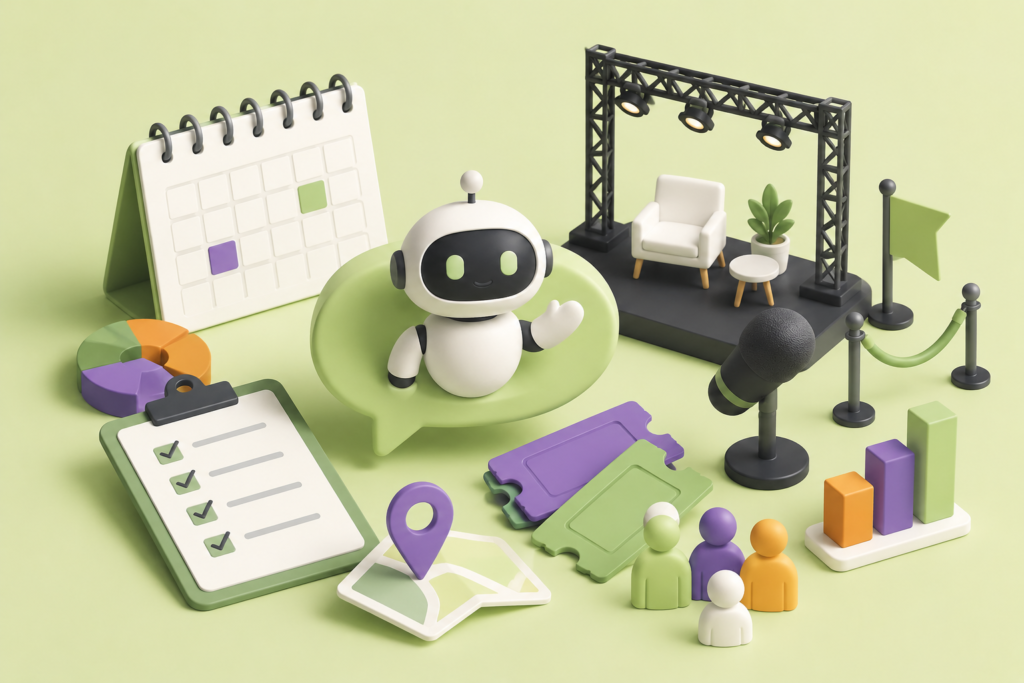
Learn how an Events & Conferences chatbot can improve attendee engagement, event registration, session discovery, networking, customer support, lead generation, and post-event communication while creating a smoother and more personalized event experience.
Introduction
Events and conferences have evolved far beyond physical gatherings where attendees simply listen to presentations, exchange business cards, and leave at the end of the day. Modern attendees expect convenient digital experiences before, during, and after an event. They want immediate access to schedules, speaker information, registration details, venue directions, networking opportunities, session updates, and answers to practical questions.
When this information is difficult to find, attendees can become frustrated. They may abandon registration, miss sessions, contact staff repeatedly, or struggle to understand how to get the most value from the event. An Events & Conferences chatbot can help solve these problems by providing a conversational layer through which attendees can quickly access relevant information.
A chatbot can support many stages of the event journey. Before the event, it can answer registration questions, explain ticket options, introduce speakers, recommend sessions, and provide venue information. During the event, it can help attendees navigate schedules, rooms, facilities, networking opportunities, and last-minute updates. After the event, it can help users find recordings, certificates, resources, feedback forms, and information about future events.
At Engagerbot, conversational technology can be positioned as a practical communication tool rather than a replacement for human event teams. The best event chatbot does not attempt to handle every situation automatically. Instead, it takes care of repetitive and predictable questions while allowing staff to focus on complex requests, personal assistance, relationship building, and situations requiring human judgment.
This guide explores how to plan an Events & Conferences chatbot from the ground up, how to structure its conversations, how to connect it with event technology, how to protect attendee information, how to support SEO and accessibility, how to measure performance, and how to avoid the mistakes that can undermine an otherwise promising implementation.
Google’s current Google Search Essentials emphasizes technical requirements, spam policies, and key practices for creating content that can perform well in search. It also recommends helpful, reliable, people-first content and descriptive language that reflects what users actually search for.
Understanding the Role of an Events & Conferences Chatbot
An Events & Conferences chatbot is a conversational digital assistant designed to help people interact with an event more efficiently. Depending on the event’s requirements, it can answer frequently asked questions, explain registration procedures, provide schedule information, introduce speakers, assist with venue navigation, support networking, collect qualified inquiries, and direct users toward appropriate human assistance.
The most important distinction is that a modern event chatbot should not be treated simply as an automated FAQ page. A traditional FAQ requires users to identify the question they want answered and manually locate the appropriate page. A conversational system can interpret the user’s intent and guide them toward the information that is most relevant to their situation. Someone might ask, “I only have one hour available this afternoon. Which sessions should I attend?” That question requires more contextual assistance than simply displaying a conference schedule.
This makes conversational design particularly useful for large conferences, trade shows, exhibitions, corporate events, professional workshops, seminars, networking events, educational conferences, and industry summits. The larger and more complex the event, the greater the potential value of reducing information friction.
However, usefulness depends on accurate information. A chatbot that confidently provides an incorrect session time, outdated speaker location, or incorrect registration policy can create more problems than it solves. Therefore, the chatbot should be connected to reliable event information and should have clear rules for handling uncertainty.
The system should also recognize when human intervention is appropriate. Refund disputes, accessibility accommodations, complaints, sensitive registration issues, emergency situations, complex technical problems, and unusual attendee requests may require a person. A trustworthy chatbot should make that transition easy rather than trapping users inside automated responses.
The goal is therefore not maximum automation. The goal is better event communication.
When automation handles repetitive information requests effectively, event staff gain more time to focus on the conversations that genuinely require human attention.
Mapping the Attendee Journey Before Building the Chatbot
A common mistake in chatbot projects is starting with technology instead of understanding the attendee journey. Before creating conversation flows, event organizers should identify what attendees need before, during, and after the event.
The pre-event stage normally includes discovery, evaluation, registration, preparation, and planning. Visitors may want to know what the event is about, who will be speaking, what topics will be covered, how much registration costs, where the venue is located, whether accommodation is available nearby, what is included in the ticket, and whether special requirements can be accommodated.
The during-event stage is more operational. Attendees may need to find a room, locate the registration desk, check the next session, identify networking areas, ask about refreshments, find Wi-Fi information, locate accessibility facilities, or understand a schedule change.
The post-event stage is often overlooked, even though it can be valuable for long-term engagement. Attendees may want presentation slides, recordings, certificates, feedback forms, contact information, or information about future events.
A useful attendee journey can therefore be represented as:
Discover → Evaluate → Register → Prepare → Attend → Navigate → Network → Follow Up → Return
Each stage should have a defined conversational purpose.
For example, during discovery, the chatbot should explain the event’s value clearly. During registration, it should remove uncertainty and help users understand their options. During the event, it should prioritize fast, concise answers. After the event, it should help attendees access resources and continue their relationship with the organization.
Different stakeholders also require different journeys. Speakers may need presentation instructions and technical information. Sponsors may need booth logistics and commercial information. Exhibitors may need setup schedules. Volunteers may need operational instructions. Media representatives may require press information.
Mapping these journeys before development prevents the chatbot from becoming a collection of disconnected answers.
It also creates a stronger foundation for analytics. If the organizer knows what each stage is supposed to accomplish, it becomes easier to determine whether the chatbot is actually helping.
Designing Event Registration Conversations That Reduce Friction
Event registration is one of the most important conversion points in the attendee journey. A person may be interested in attending but abandon the process because ticket categories are confusing, policies are unclear, or too much information is presented at once.
An Events & Conferences chatbot can reduce this friction by helping users understand their registration options before directing them to the appropriate registration page.
For example, the chatbot could ask whether the visitor is attending as a professional, student, speaker, sponsor, exhibitor, or another participant type. Based on the response, it could explain the relevant registration category and provide the next step.
The chatbot can also answer questions that frequently interrupt registration:
- What does the ticket include?
- Are meals included?
- Is a certificate provided?
- Can a registration be transferred?
- Are group rates available?
- Can registration details be changed?
- What is the cancellation policy?
- Is separate registration required for workshops?
- Are virtual attendance options available?
- What should attendees bring?
These questions are often simple, but they can become barriers when answers are difficult to find.
The chatbot should nevertheless be careful about transactional information. If it is not connected to a real-time ticketing system, it should not claim that a ticket is available when that information has not been verified. Similarly, it should not invent discounts, refund conditions, payment statuses, or account information.
If the registration process occurs on another platform, the chatbot should clearly explain that the visitor is being redirected to the official registration process.
The best registration experience is not necessarily the one with the fewest clicks. It is the one where users understand what they are doing at every stage.
That means the chatbot should reduce uncertainty, confusion, and unnecessary searching rather than simply pushing users toward a payment page.
Helping Attendees Discover Speakers, Sessions, and Event Content
Large conferences can overwhelm attendees with information. A single event may contain multiple tracks, keynote presentations, workshops, panel discussions, networking sessions, demonstrations, and specialist sessions.
A chatbot can make this information easier to navigate by allowing attendees to ask questions naturally.
Instead of searching through a long schedule, an attendee could ask:
Which sessions focus on artificial intelligence?
What can I attend between 2 PM and 4 PM?
Which workshops are suitable for beginners?
Who is speaking about cybersecurity?
Are there any networking sessions this evening?
The chatbot can then use the available event data to guide the attendee toward relevant choices.
This becomes especially valuable when attendees have limited time. A professional attending a large industry conference may only have a few hours available. Helping that person identify the most relevant sessions can significantly improve perceived event value.
Speaker discovery can work in the same way. The chatbot can provide concise information about a speaker’s subject area, session title, presentation time, and location, provided that the information is accurate and approved.
Event information must be maintained carefully because schedules frequently change. Speakers cancel, rooms move, sessions become full, and presentation times may be adjusted.
Google’s Event structured data documentation explains how event pages can provide structured information about event names, dates, locations, descriptions, status, offers, and other details. Google also emphasizes that event information must accurately describe the actual event.
This principle is useful for both search visibility and chatbot reliability.
The event website, structured data, registration system, and chatbot should ideally be based on consistent information. If one system says the keynote begins at 9 AM while another says 10 AM, attendees will not know which source to trust.
A conversational experience is only as strong as the information behind it.
Creating Personalized Event Experiences Without Becoming Intrusive
Personalization can make a conference chatbot considerably more useful. Instead of giving every attendee the same information, the chatbot can help users find information based on their role, interests, schedule, or goals.
An attendee interested in marketing might receive recommendations for marketing sessions. A technology professional may want technical workshops. A sponsor may need exhibitor information. A speaker may need access to speaker-specific instructions.
This type of personalization can reduce information overload.
However, personalization should not become unnecessary surveillance. The chatbot should only collect information that has a clear purpose. If the system asks for personal information, users should understand why that information is needed and how it contributes to their experience.
For example, asking someone about their preferred conference topics may help with session recommendations. Asking for unrelated personal information does not necessarily provide meaningful value.
The same principle applies to identity. A user should not be forced to provide personal details simply to access basic public event information unless there is a legitimate reason.
A good chatbot should allow people to browse general information without excessive barriers while providing personalized features when they choose to use them.
Personalization should also remain transparent. If recommendations are based on information the attendee previously provided, the system should behave consistently with that context. Unexpected references to information that users did not knowingly provide can undermine trust.
Organizers should therefore establish clear rules around:
- What information is collected
- Why it is collected
- How long it is retained
- Who can access it
- Which integrations can use it
- When information should be deleted
- When human intervention is required
The strongest personalization strategy can be summarized simply:
Personalize the experience without making the attendee feel monitored.
Useful context should make an event easier to navigate, not make the visitor uncomfortable.
Supporting Networking and Meaningful Attendee Engagement
Networking is one of the primary reasons many professionals attend conferences. Yet networking can also be one of the most difficult aspects of an event. Some attendees do not know where to begin, which sessions are suitable for meeting people, or how to find others with similar professional interests.
An Events & Conferences chatbot can make networking opportunities easier to discover.
It can explain networking sessions, identify discussion groups, provide information about meetups, explain matchmaking processes, and direct attendees toward relevant event features.
For example, a visitor might ask:
Where can I meet other startup founders?
Is there a networking session for marketing professionals?
What time does the evening networking event begin?
How does attendee matchmaking work?
If the event platform supports attendee matching, the chatbot can potentially serve as a conversational entry point to that functionality.
However, organizers should be careful not to turn networking into constant promotional messaging.
If every networking conversation ends with an aggressive sponsor promotion or sales pitch, attendees may stop using the system. The chatbot should primarily help users achieve their own goals.
Engagement should also be measured intelligently.
A high number of chatbot conversations does not automatically mean that an event chatbot is successful. Thousands of conversations could indicate strong engagement, but they could also indicate that attendees are repeatedly asking questions because the system fails to answer them properly.
Better indicators include:
- Successful question resolution
- Registration assistance
- Session discovery
- Reduction in repetitive support requests
- Human escalation quality
- Attendee satisfaction
- Networking feature usage
- Post-event engagement
- Qualified business inquiries
These measurements connect chatbot activity to meaningful outcomes.
The purpose of event automation should therefore be to improve the attendee experience and organizational efficiency, not simply to maximize the number of messages exchanged.
Using Chatbots for Event Logistics and Real-Time Assistance
Event logistics generate a large volume of repetitive questions. Attendees may ask where to check in, where a session is located, where parking is available, how to access Wi-Fi, where refreshments are being served, or where accessibility facilities are located.
During a large event, staff members may answer the same question hundreds of times.
An event chatbot can handle many of these repetitive requests and allow human staff to concentrate on situations requiring personal assistance.
Real-time assistance becomes even more valuable when something changes.
A session might move to another room. A speaker might be delayed. A workshop might reach capacity. An entrance might temporarily close. A networking activity might move to another area.
If the chatbot is connected to a reliable source of current information, it can communicate those updates quickly.
However, organizers should avoid treating the chatbot as an independent source of truth.
The system should obtain event information from approved sources. Those sources might include an event management platform, content management system, registration database, scheduling system, or carefully maintained event knowledge base.
A practical event information model may include:
Core event information: date, time, venue, event purpose, audience, registration.
Program information: sessions, speakers, workshops, keynotes, panels, tracks.
Operational information: parking, transportation, accessibility, Wi-Fi, check-in, facilities.
Commercial information: tickets, sponsorship opportunities, exhibition information.
Support information: cancellations, refunds, technical assistance, contact channels.
This structure helps ensure that information has clear ownership.
For example, the registration team may own ticket information while the program team owns session schedules. The venue team may own room information.
When ownership is clear, updates are easier to manage and chatbot responses are less likely to become outdated.
Making an Events & Conferences Chatbot SEO-Friendly and Discoverable
A chatbot should support an event website’s SEO strategy rather than replace it.
Search engines need accessible pages that clearly communicate what an event is, who it is for, when it takes place, where it happens, and what attendees can expect.
Important event information should therefore remain available in crawlable website content rather than being hidden exclusively inside a chatbot.
Create dedicated pages where appropriate for:
- The main event
- Registration
- Speakers
- Sessions
- Workshops
- Venue information
- Travel information
- FAQs
- Sponsorship
- Exhibitor information
- Contact and support
The chatbot can then provide a conversational way to navigate this information.
Google’s Google Search Essentials recommends creating helpful, reliable, people-first content and using words people would use to search for the content in prominent locations such as titles, headings, link text, and other descriptive areas.
This means an event page should use clear terminology rather than vague marketing language.
For example, a page should make it obvious whether it is about:
2026 Digital Marketing Conference
rather than simply:
The Future Starts Here
The first communicates the subject directly to users and search engines.
Event structured data can further help search engines understand eligible event pages. Google recommends providing accurate event information and explains that individual events should have unique URLs when using the event search experience.
However, structured data should never be treated as a ranking shortcut.
Google explicitly states that correct structured data does not guarantee that a rich result or enhanced search appearance will be displayed.
The priority should remain useful event content.
A chatbot can improve the user experience after someone discovers the event through search, but it cannot compensate for weak event pages, unclear information architecture, poor content, or inaccurate details.
Building a Reliable Event Information Architecture
The quality of an Events & Conferences chatbot depends heavily on the information architecture behind it.
Event information is often scattered across spreadsheets, PDFs, emails, registration platforms, social media posts, internal documents, and staff conversations. If the chatbot draws information from inconsistent sources, it may provide conflicting answers.
The first step is to identify the authoritative source for each type of information.
For example:
- The registration platform may control ticket information.
- The event management platform may control session schedules.
- The content management system may control speaker biographies.
- The venue database may control room information.
- The support platform may control help requests.
The chatbot should use the correct source rather than relying on manually duplicated information wherever possible.
A useful information architecture separates content into logical categories.
Core Event Information
This includes the event name, purpose, date, location, audience, registration process, and general event description.
Program Information
This includes speakers, sessions, workshops, keynotes, panels, tracks, and schedules.
Operational Information
This includes parking, transportation, check-in, venue facilities, accessibility, Wi-Fi, meals, and event policies.
Commercial Information
This includes ticket categories, sponsorship opportunities, exhibitor information, and commercial inquiries.
Support Information
This includes refunds, cancellations, technical problems, contact details, and escalation procedures.
This structure makes conversational design more predictable because every user question can be connected to an information category.
Version control is equally important.
An event schedule can change repeatedly during the final weeks before the conference. Old versions should not remain accessible to the chatbot after they become obsolete.
Organizers should establish a process for identifying the current version of important information and retiring outdated content.
For recurring annual conferences, the system should also distinguish between current, previous, and upcoming events.
Without proper information architecture, even a technically sophisticated chatbot can produce unreliable answers.
With a well-managed information system, the chatbot becomes a practical extension of the organization’s event operations.
Integrating the Chatbot With Registration, CRM, and Event Platforms
The real value of an event chatbot often increases when it is connected to the systems already used by the organization.
A standalone chatbot can answer general questions. An integrated chatbot can potentially provide more context and guide users through more useful workflows.
Possible integrations include:
- Registration platforms
- CRM systems
- Event management software
- Calendar platforms
- Help desk systems
- Email marketing systems
- Venue information systems
- Analytics platforms
- Scheduling systems
- Knowledge bases
For example, a registration integration may help users understand which registration process applies to them. A CRM integration may help route qualified sponsor inquiries to the appropriate sales team. A help desk integration can create a support request when automation cannot resolve an issue.
However, integrations should be designed carefully.
The chatbot should not automatically receive unrestricted access to every connected system.
A principle of least necessary access is more appropriate. Give the chatbot and its integrations only the permissions required for the specific workflow.
Security should be considered during architecture and implementation rather than added after launch.
The current OWASP Top 10 provides an awareness framework for critical web application security risks. The 2025 edition includes categories such as broken access control, security misconfiguration, software supply chain failures, cryptographic failures, injection, insecure design, authentication failures, software and data integrity failures, logging and alerting failures, and mishandling exceptional conditions.
These risks are relevant when an event chatbot interacts with registration systems, customer databases, APIs, or attendee information.
For example, broken access control could potentially expose information belonging to another attendee. Security misconfiguration could expose an administrative function. Poor authentication controls could allow unauthorized users to access restricted event information.
The chatbot should therefore be designed with security boundaries, authentication controls, logging, validation, and appropriate access permissions.
OWASP also explains that its Top 10 is an awareness starting point rather than a complete security standard. For deeper verification, organizations should use appropriate security practices and testing frameworks rather than assuming that addressing a checklist alone makes an application secure.
Protecting Attendee Privacy, Security, and Trust
Events frequently involve personal information. Registration systems may contain names, email addresses, job titles, organizations, ticket details, payment-related records, dietary requirements, accessibility requests, and other information.
An event chatbot should therefore be designed around data minimization and appropriate access control.
The first question should be: Does the chatbot actually need this information to perform the requested task?
If the answer is no, it should not be collected simply because the technology makes collection possible.
When personal information is necessary, organizations should communicate the purpose clearly and handle the information according to applicable privacy requirements.
Security should also cover the chatbot’s integrations and infrastructure.
Important controls can include:
- Secure authentication
- Role-based permissions
- Encryption where appropriate
- Input validation
- Secure API design
- Credential protection
- Monitoring
- Appropriate logging
- Data retention controls
- Access reviews
- Incident response procedures
Logging is particularly important for systems handling sensitive operations. The current OWASP Top 10 identifies logging and alerting failures as a significant application security concern, emphasizing the importance of detecting suspicious activity and responding effectively.
The chatbot should also handle unusual situations safely.
If an API becomes unavailable, the registration platform returns unexpected information, or an authorization check fails, the system should not simply continue as if everything worked normally.
OWASP’s 2025 guidance specifically identifies mishandling exceptional conditions as a security risk category and notes that poor handling of unusual states can produce unexpected behavior and vulnerabilities.
From the attendee’s perspective, trust is built through simple behavior:
Tell the truth. Protect information. Admit limitations. Provide a human path when necessary.
A chatbot that says “I cannot verify that information right now; please contact the registration team” is more trustworthy than one that invents an answer.
Common Mistakes When Implementing an Events & Conferences Chatbot
One of the biggest mistakes is treating the chatbot as a promotional tool instead of an attendee-support system.
If users ask for directions and receive promotional messages instead, the chatbot becomes frustrating. If attendees ask about session times and receive generic marketing copy, they lose confidence in the system.
The chatbot should answer the user’s question first.
Another major mistake is failing to maintain information.
A conference chatbot can become unreliable very quickly if the schedule, speaker information, registration rules, or venue details are not updated.
Other common mistakes include:
- Launching without testing realistic attendee questions.
- Using excessively long responses.
- Making users navigate unnecessary conversation steps.
- Hiding essential information behind the chatbot.
- Collecting unnecessary personal information.
- Giving integrations excessive permissions.
- Failing to provide human escalation.
- Ignoring mobile users.
- Neglecting accessibility.
- Failing to monitor unanswered questions.
- Treating every user identically.
- Using outdated event information.
- Failing to test schedule changes.
- Assuming automation can handle sensitive disputes.
- Using structured data inaccurately.
- Assuming structured data guarantees enhanced search visibility.
- Measuring chatbot success only by conversation volume.
Security misconfiguration is another practical risk. The 2025 OWASP Top 10 places security misconfiguration at A02 and describes the category as a significant source of application risk.
This matters for event platforms because a chatbot may connect several systems. Every additional integration creates another point where permissions, credentials, configuration, and data flows need to be reviewed.
The solution is not to avoid automation.
The solution is to implement it deliberately.
Start with a limited set of valuable use cases. Test them with realistic questions. Monitor failures. Review security. Improve the knowledge base. Expand only when the existing workflows are reliable.
A controlled rollout is usually safer and more effective than launching dozens of automated features at once.
Best Practices for Building a High-Performing Event Chatbot
A high-performing Events & Conferences chatbot should be built around several core principles: accuracy, usefulness, clarity, accessibility, security, transparency, and measurable outcomes.
Start with real attendee questions rather than assumptions. Review previous support emails, registration inquiries, phone questions, social media comments, and event feedback. These sources reveal what people actually struggle with.
Next, prioritize high-value use cases.
A first version might focus on:
- Event FAQs
- Registration guidance
- Speaker discovery
- Session discovery
- Venue information
- Schedule assistance
- Human support escalation
Once these workflows are stable, additional functionality can be introduced.
Responses should be concise and structured. Attendees may be using their phones while walking through a crowded venue, so they should not have to read large paragraphs to discover a room number.
Navigation should also be flexible. Users should be able to restart a conversation, change topics, return to the main menu, or request human assistance.
Fallback responses should be useful rather than generic. Instead of saying:
“I don’t understand.”
the chatbot could explain:
“I can help with registration, schedules, speakers, venue information, and event FAQs. What would you like to find?”
This gives the user a clear next step.
Analytics should measure outcomes instead of vanity metrics.
Useful indicators include:
- Task completion
- Registration assistance
- Question resolution
- Escalation rate
- Unanswered questions
- Session discovery
- User satisfaction
- Support reduction
- Qualified leads
- Post-event engagement
Google’s Creating Helpful, Reliable, People-First Content guidance emphasizes originality, completeness, useful analysis, expertise, clear authorship, and creating content primarily to benefit people rather than manipulate search rankings.
The same philosophy should guide chatbot development.
Build for the attendee first.
Use SEO to make valuable information discoverable.
Use automation to remove unnecessary friction.
Use human support where human judgment matters.
That combination creates a more sustainable event experience than attempting to automate everything.
Measuring Event Chatbot Performance and Business Value
A chatbot should not be considered successful simply because it is installed on an event website.
Organizations need to determine whether it is actually improving the attendee experience and supporting business objectives.
Measurement should begin with clear goals.
For example, an organizer may want to:
- Increase registration completion
- Reduce repetitive support questions
- Improve session discovery
- Increase networking participation
- Generate qualified sponsor inquiries
- Improve attendee satisfaction
- Reduce response times
- Improve post-event engagement
Each objective requires appropriate metrics.
For registration, organizations can monitor how many visitors receive registration assistance and whether assisted visitors are more likely to complete the process.
For support, organizers can measure how many questions are resolved without human intervention and which topics generate the most escalations.
For content discovery, teams can measure session searches, speaker interactions, and program-related conversations.
For lead generation, metrics might include qualified inquiries rather than raw conversation counts.
A useful measurement framework can be divided into four categories:
Experience Metrics
These measure how attendees interact with the chatbot.
Examples include satisfaction, completion rate, response time, and abandonment rate.
Operational Metrics
These show how much workload automation removes from the event team.
Examples include support deflection, escalation volume, repeated-question reduction, and staff response time.
Business Metrics
These connect the chatbot to organizational outcomes.
Examples include registrations, qualified leads, sponsor inquiries, and conversions.
Quality Metrics
These measure whether the chatbot is providing reliable answers.
Examples include incorrect-answer rate, unanswered-question rate, outdated-information incidents, and failed integrations.
Review these metrics continuously rather than only after the event.
The most valuable insights often come from failed conversations. If many users ask questions the chatbot cannot answer, those questions represent opportunities to improve the knowledge base or add a new workflow.
In other words, chatbot analytics should become a feedback loop for improving the entire event experience.
Preparing an Events & Conferences Chatbot for Continuous Improvement
An event chatbot should not be treated as a one-time project.
Event requirements change. Attendee expectations change. Registration systems change. Venues change. Speakers change. New questions appear every time an event is held.
Continuous improvement allows organizers to learn from each event and make the next one more effective.
After every major event, review conversation data and identify:
- The most frequently asked questions
- Questions that produced incorrect answers
- Questions that required human escalation
- Registration problems
- Navigation difficulties
- Repeated requests for unavailable features
- Common complaints
- Successful conversation flows
- Unused features
- New attendee needs
These insights can guide the next iteration.
For recurring events, maintain a structured improvement cycle:
Plan → Launch → Monitor → Analyze → Improve → Test → Relaunch
Testing should also happen before major event dates.
Run simulations using realistic attendee questions. Test schedule changes. Test unavailable APIs. Test incorrect inputs. Test high traffic. Test human escalation. Test authentication boundaries.
The chatbot should also be reviewed when event information changes significantly.
If the event introduces a new venue, new registration system, new ticket types, new session structure, or new networking platform, the chatbot should be retested rather than assuming that previous behavior remains correct.
Google’s people-first guidance encourages creators to evaluate whether content is genuinely useful, complete, original, trustworthy, and satisfying to users.
That principle can also be applied to conversational systems.
Ask:
Did the attendee get what they needed?
Was the information accurate?
Was the process easy to understand?
Could the attendee reach a person when necessary?
Did the chatbot reduce friction rather than create it?
Those questions are more valuable than simply asking how many conversations occurred.
A mature event chatbot becomes part of an organization’s broader learning system. Each event generates insights that can improve the next one.
That is where conversational technology becomes more than automation.
It becomes a tool for continuously improving how organizations communicate with their audiences.
Advanced Use Cases for Events & Conferences Chatbots
Once the fundamental chatbot workflows are reliable, organizations can introduce more advanced use cases that create deeper value for attendees, sponsors, exhibitors, speakers, and event teams. The key is to add advanced capabilities only when they solve a genuine problem. Technology should make the event easier to navigate and manage rather than adding complexity simply because a feature is available.
One advanced use case is intelligent session recommendations. Instead of simply displaying the agenda, a chatbot can ask attendees about their professional interests, preferred topics, available time, and experience level. It can then help them identify suitable sessions. Another use case is exhibitor discovery. At a large trade show, attendees may struggle to identify which exhibitors are relevant to their interests. A conversational assistant can help them narrow their options and find appropriate booth information. Sponsors can also benefit when the system helps qualified attendees discover relevant offerings without interrupting unrelated conversations.
Another valuable application is speaker and VIP support. Speakers can receive information about presentation rooms, arrival procedures, technical requirements, session times, and event policies. VIP attendees may need specialized information about lounges, private meetings, transportation, or designated networking opportunities. Event teams can also use internal chatbot workflows to help volunteers quickly locate operational instructions. These use cases can reduce repetitive communication while preserving human support for situations that require personal attention.
Advanced chatbots can also support post-event workflows. Attendees may ask where to find recordings, presentations, certificates, surveys, or future-event information. A chatbot can help guide them toward these resources. Organizations can also use conversational interactions to identify people who want further information about specific topics. Where appropriate and with suitable consent, these interactions can support lead qualification and follow-up.
The important principle is progressive automation. Start with dependable basic workflows, study real usage, and then expand into advanced functionality based on evidence. An event chatbot becomes more valuable when every new feature has a clear purpose, measurable outcome, and responsible data-handling process.
Accessibility and Inclusive Event Chatbot Design
Accessibility should be considered a fundamental requirement rather than a final-stage improvement. Conferences often serve diverse audiences, including people with different visual, auditory, motor, cognitive, language, and technological needs. A chatbot that is difficult to operate can unintentionally exclude people from important event information.
The interface should therefore be designed so that users can interact with it using different methods where technically possible. Text should be readable, controls should be clearly labeled, navigation should be logical, and important information should not depend exclusively on visual elements. Keyboard accessibility, sufficient text clarity, understandable error messages, and predictable navigation can all contribute to a more inclusive experience.
The Web Content Accessibility Guidelines provide internationally recognized recommendations for making web content more accessible. WCAG 2.2 organizes accessibility principles around perceivable, operable, understandable, and robust experiences. (w3.org)
An event chatbot should also consider the accessibility of the information it provides. For example, if the chatbot says that an accessible entrance is available, that information should be accurate. If users ask about accessibility accommodations, the system should provide clear instructions for obtaining human assistance when the request requires personalized support.
Language clarity matters as well. Event attendees may come from different countries and professional backgrounds. Avoid unnecessary jargon, unexplained abbreviations, and complicated instructions. If multilingual support is offered, the translated information should be reviewed carefully, particularly for dates, room names, registration rules, accessibility details, and safety information.
Accessibility also extends beyond the chatbot itself. The pages it links to, registration forms, event schedules, downloadable documents, and mobile interfaces should provide a consistent experience.
An inclusive chatbot should never become a barrier between an attendee and essential event information. Whenever possible, users should have alternative ways to obtain assistance, including a human support channel.
The goal is straightforward: every attendee should have a reasonable opportunity to understand, navigate, and participate in the event.
Building Trust Through Human Handoff and Transparent Conversations
Automation becomes more trustworthy when users understand its limitations. An event chatbot should not pretend to be a human, and it should not imply that it can perform actions that it cannot actually perform.
A transparent introduction can explain that the visitor is interacting with an automated assistant and describe the types of help available. This sets realistic expectations from the beginning.
Human handoff is equally important. If a chatbot cannot resolve a registration problem, complaint, accessibility request, payment issue, or unusual question, it should provide a practical next step. Depending on the event’s support structure, this could involve a help desk, email address, ticketing system, phone number, or live agent.
The handoff should preserve useful context where appropriate. If the user has already explained their problem, they should not necessarily have to repeat everything from the beginning. A well-designed system can pass the relevant conversation context to the support team while following appropriate privacy and data-handling practices.
Trust is also affected by how the chatbot responds to uncertainty. If the system does not have current information, it should say so. A response such as “I cannot verify the current session availability” is preferable to confidently providing an unverified answer.
Organizations should establish rules for high-risk conversations. These might include financial disputes, personal data requests, emergencies, accessibility accommodations, complaints, and account-specific issues.
The chatbot should know when to stop automating.
This is one of the most important differences between a responsible event chatbot and a poorly designed one.
Automation should handle repetitive information efficiently, but human judgment should remain available whenever the situation requires it.
That approach protects the attendee experience while also protecting the organization from avoidable communication failures.
Post-Event Engagement, Feedback, and Long-Term Relationships

The end of an event does not have to be the end of the attendee relationship. Post-event communication can turn a one-time visitor into a returning participant, customer, partner, speaker, sponsor, or community member.
An event chatbot can help attendees locate recordings, presentation materials, certificates, photographs, surveys, downloadable resources, and future-event information. Instead of sending multiple disconnected messages, organizations can provide a conversational route through these resources.
Feedback is another important opportunity. A chatbot can invite attendees to share their experience and guide them toward a structured feedback process. Questions can cover session quality, venue experience, registration, networking, technology, and overall satisfaction.
However, feedback requests should be designed carefully. Asking too many questions can reduce participation. Short, focused feedback flows often provide more useful information than lengthy surveys.
The chatbot can also identify recurring problems. If many attendees ask where recordings are located, the post-event experience may need improvement. If users repeatedly ask whether certificates are available, the event team may need to communicate certificate procedures more clearly.
Post-event engagement can also support future event discovery. An attendee who participated in a cybersecurity conference may be interested in a related workshop or next year’s conference. Where appropriate and based on the user’s expectations and applicable privacy requirements, the organization can provide relevant information about future opportunities.
The most effective strategy is not to treat every attendee as a marketing lead.
Instead, create value-based follow-up.
Give people something useful first: recordings, resources, certificates, insights, summaries, or relevant upcoming opportunities. When follow-up communication is genuinely useful, the organization has a stronger foundation for long-term relationships.
A chatbot can become part of this lifecycle by helping attendees move from one event to the next without making every interaction feel like a sales campaign.
Best Practices Summary
Building an effective event chatbot requires coordination between content, technology, operations, security, accessibility, analytics, and human support. The following principles provide a practical framework for implementation.
Start with real user needs. Analyze previous attendee questions, support tickets, emails, registration problems, and event feedback. Build workflows around actual problems instead of assumptions.
Keep the information accurate. Establish authoritative sources for schedules, speakers, registration, venue information, policies, and support details. Create clear ownership for updates.
Design for the complete attendee journey. Support discovery, registration, preparation, attendance, navigation, networking, and post-event engagement.
Make common tasks fast. Users should be able to obtain important information without navigating unnecessarily long conversation flows.
Use personalization carefully. Personalization should improve relevance without collecting unnecessary information or creating an intrusive experience.
Provide human escalation. The chatbot should make it easy to reach an appropriate person when automation cannot solve the problem.
Protect data. Apply appropriate authentication, authorization, data minimization, credential protection, monitoring, and access controls.
Test integrations. Registration systems, CRM platforms, event databases, APIs, and scheduling tools can fail. Design safe fallback behavior.
Support accessibility. Follow established accessibility practices and test the complete experience rather than only the chatbot interface.
Support SEO without hiding content. Important event information should remain available through crawlable, useful website pages. Use appropriate structured data where applicable and ensure the information matches the visible content.
Google’s Event structured data guidance can help organizations understand the requirements for eligible event markup, while Google Search Essentials provides broader guidance around technical requirements, spam policies, and search fundamentals. (developers.google.com)
Measure meaningful outcomes. Track registration assistance, successful question resolution, support reduction, attendee satisfaction, qualified inquiries, and other business goals.
Improve continuously. Review unanswered questions and failed conversations after every event. Use those insights to improve the knowledge base and conversation flows.
The most important principle is that the chatbot should serve the attendee rather than compete with them.
When the technology removes friction, provides accurate information, respects privacy, supports accessibility, and offers human assistance when needed, it can become a valuable part of the event experience.
FAQs
1. What is an Events & Conferences chatbot?
An Events & Conferences chatbot is a conversational digital assistant designed to help attendees and other event participants access information and complete common tasks. It can answer questions about registration, schedules, speakers, sessions, venues, networking, event policies, and post-event resources.
The chatbot can be available before, during, and after the event. Its exact functionality depends on the event’s technology infrastructure and business requirements.
A well-designed chatbot should not replace the event team. Instead, it should automate repetitive questions and direct complex requests to appropriate human support.
2. How can a chatbot help with event registration?
A chatbot can explain registration categories, answer questions about ticket inclusions, provide information about policies, and guide visitors toward the appropriate registration process.
If integrated with an authorized registration platform, it may support more advanced workflows depending on the platform’s capabilities.
However, organizations should avoid allowing the chatbot to make unsupported claims about ticket availability, payments, discounts, or account status.
3. Can an event chatbot recommend conference sessions?
Yes. A chatbot can help attendees discover sessions based on topics, tracks, interests, experience levels, available time, or other approved criteria.
For example, an attendee could explain that they are interested in beginner-level marketing sessions and only have two hours available. The chatbot could then guide them toward relevant sessions if the event’s scheduling information supports that type of recommendation.
Recommendations should always use current event data.
4. Can a chatbot help attendees with venue navigation?
Yes. A chatbot can provide information about rooms, registration areas, entrances, parking, transportation, refreshments, networking areas, Wi-Fi, and other venue facilities.
For large events, this can reduce pressure on staff who would otherwise answer the same location questions repeatedly.
If venue information changes, the underlying event information should be updated promptly.
5. Should an event chatbot collect attendee information?
Only when there is a clear reason to do so.
Basic public questions about schedules or venue information may not require personal information. More advanced functions may require identification or other information, depending on the workflow.
Organizations should collect only the information necessary for the intended purpose and apply appropriate privacy and security controls.
6. Can an Events & Conferences chatbot generate leads?
Yes, when lead generation is a legitimate part of the event strategy.
A chatbot can help qualify sponsor inquiries, exhibitor questions, partnership requests, or attendee requests for additional information.
However, lead generation should not interfere with the attendee experience. The chatbot should answer the user’s immediate question first and use relevant qualification questions only when appropriate.
7. How does a chatbot improve the event experience?
A chatbot can reduce information friction by making answers easier to access.
Instead of searching through multiple pages, attendees can ask questions conversationally. This can make registration, schedule discovery, venue navigation, networking, and post-event resource access easier.
The greatest value usually comes from removing repetitive obstacles rather than adding unnecessary automation.
8. How should organizations measure chatbot success?
Organizations should define metrics based on their goals.
Useful measurements include:
- Question resolution rate
- Registration assistance
- Conversation completion
- Human escalation rate
- Unanswered questions
- Session discovery
- Attendee satisfaction
- Support workload reduction
- Qualified inquiries
- Post-event engagement
The correct metrics depend on the event’s objectives. Conversation volume alone is not enough to determine success.
Conclusion
Events and conferences are complex experiences involving many different audiences, systems, schedules, locations, and communication requirements. Attendees expect information to be available quickly and clearly, while event teams need efficient ways to handle large volumes of repetitive questions.
An Events & Conferences chatbot can provide a practical solution when it is designed around genuine attendee needs. It can support registration, session discovery, speaker information, venue navigation, networking, event logistics, post-event resources, and selected lead-generation workflows.
But successful implementation requires more than installing a chatbot widget.
The system needs accurate information, reliable integrations, thoughtful conversation design, clear escalation paths, strong security, appropriate privacy practices, accessibility considerations, and ongoing measurement. It should complement the event website rather than hide essential information behind an interface. It should support SEO by helping people find and understand useful event content rather than attempting to replace that content.
Organizations should also remember that automation has limits. The best event experiences combine technology with human expertise. Chatbots can handle predictable questions quickly, while event professionals remain available for complex, sensitive, and high-value interactions.
A strong implementation begins small. Identify the most common attendee questions, build reliable workflows, connect the chatbot to authoritative information, test realistic scenarios, monitor conversations, and improve based on actual user behavior.
As event technology continues to evolve, conversational interfaces will likely become an increasingly important part of how attendees discover information and interact with event organizations.
The organizations that gain the greatest benefit will not necessarily be those with the most sophisticated technology.
They will be the organizations that use technology thoughtfully, transparently, securely, and with the attendee experience at the center.
At Engagerbot, the opportunity is to turn conversational technology into a practical part of that experience—helping organizations reduce communication friction while creating more useful interactions before, during, and after their events.
Want to Implement This Easily?
Prompt:
You are an expert consultant. Based on the blog post titled “(Events & Conferences)”, provide a step-by-step, practical implementation guide. Include tools, best practices, common mistakes to avoid, and advanced tips. Assume the reader wants to implement everything discussed in this article effectively.
Call to Action: Want our help implementing this? Just reach out to us via our website contact form: https://www.engagerbot.com/contact-us/