
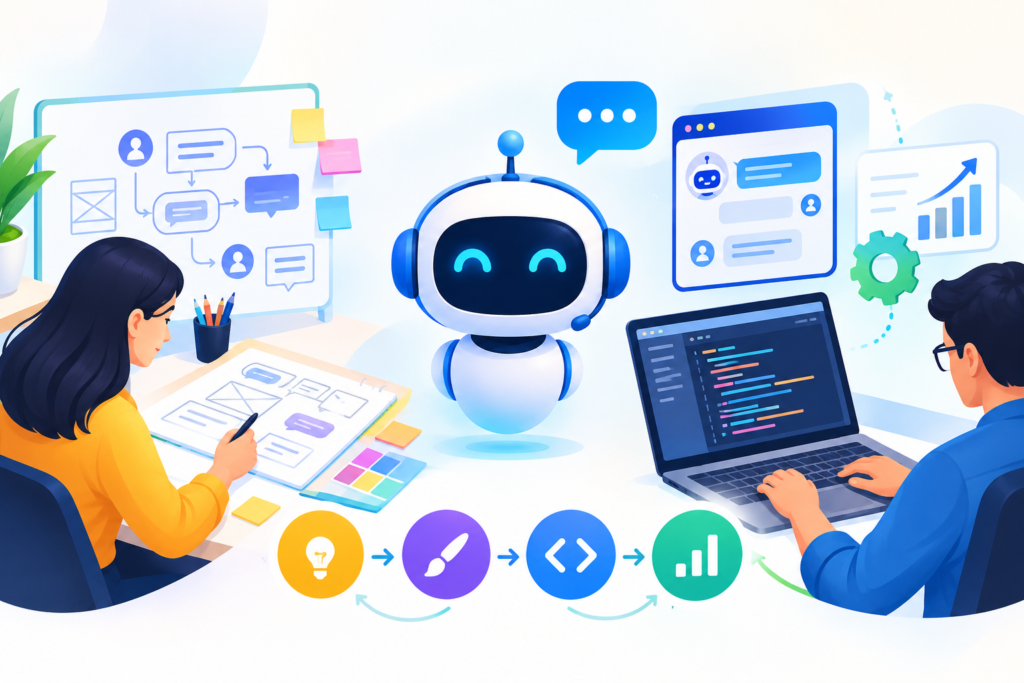
Learn how to design a chatbot that improves user experience, automates customer support, generates qualified leads, and creates effective conversational journeys with practical strategies and best practices.
Introduction
A well-designed chatbot can transform how a business communicates with customers, answers questions, generates leads, and delivers support. However, successful chatbot design involves much more than adding a chat window to a website. It requires a clear understanding of user needs, carefully planned conversations, intuitive navigation, accurate responses, thoughtful visual design, and a reliable process for handling situations the chatbot cannot resolve independently.
Businesses increasingly use conversational interfaces to help visitors find information, compare products, book appointments, request quotations, troubleshoot problems, and connect with the right department. When these experiences are designed properly, customers can complete tasks without navigating complicated menus or waiting for a human representative to become available. When they are poorly designed, users encounter repetitive questions, irrelevant answers, confusing options, and frustrating dead ends. The difference often comes down to the quality of the chatbot’s design rather than the technology alone.
This guide explains how to approach chatbot design from the initial planning stage through development, testing, launch, and continuous improvement. It explores conversational user experience, chatbot interface design, natural language understanding, automation workflows, personalization, accessibility, privacy, analytics, and conversion optimization. It also explains how to avoid common implementation mistakes and how to evaluate whether a chatbot is delivering measurable business value.
Whether you are creating a simple FAQ chatbot or planning an advanced AI-powered conversational assistant, the goal is the same: make it easier for people to accomplish their objectives. By applying the strategies in this guide, you can develop a chatbot that feels useful, trustworthy, consistent, and aligned with your business goals. You can also explore how Engagerbot fits into a broader approach to building effective chatbot experiences.
Understanding Chatbot Design and Its Role in Modern Business
Chatbot design is the process of planning how an automated conversational system looks, communicates, understands requests, and helps users complete tasks. It combines conversational writing, user experience design, interface development, workflow planning, and artificial intelligence where appropriate. A successful design establishes a clear relationship between what users want to accomplish and what the chatbot can realistically deliver. For example, a customer visiting an online store may want to check delivery times, compare products, or understand a return policy. Instead of searching several pages, the customer can describe the problem in a chat window and receive relevant guidance. The chatbot should make this interaction feel straightforward rather than introducing another layer of complexity.
The design process involves several connected elements. Conversational design determines the wording, tone, questions, and response structure. Chatbot UI design determines how the conversation appears, including message bubbles, quick-reply buttons, menus, input fields, and status indicators. Conversation flow design maps the possible routes users can take, while technical design determines how the chatbot accesses information, processes requests, and connects with business systems. These elements must work together. A visually attractive interface cannot compensate for inaccurate answers, and an intelligent language model cannot guarantee a good experience if users do not understand what to do next. Designers should therefore evaluate the entire journey, from opening the chatbot to completing the requested task.
The business value of chatbot design becomes clearer when it is connected to specific outcomes. A support chatbot may reduce repetitive enquiries, a lead-generation chatbot may collect relevant project details, and an appointment chatbot may guide visitors through booking. However, automation is not automatically beneficial. If users must repeat information, struggle to reach an employee, or receive misleading answers, the chatbot can damage trust rather than improve it. Begin by identifying a real customer problem and deciding whether a conversational interface is an appropriate solution. Google’s guidance on helpful, reliable, people-first content offers a useful reminder for the informational content surrounding a chatbot: prioritize genuine usefulness, accuracy, and a satisfying user experience instead of creating material solely to attract search traffic. The same user-first principle should guide chatbot design decisions.
Defining Chatbot Goals, Target Audiences, and Business Requirements
Before designing conversations or choosing a chatbot platform, establish what the chatbot must accomplish. Vague goals such as improving engagement or modernizing customer service are difficult to measure and can lead to unnecessary features. Instead, define a specific business objective, such as answering common product questions, qualifying sales enquiries, helping visitors schedule consultations, or providing first-line technical support. Each objective implies a different conversational journey. A sales assistant may need to understand budget, requirements, and purchase timing, whereas a support assistant may need to identify a product, reproduce an issue, and recommend troubleshooting steps. A clear purpose helps determine the chatbot’s capabilities, boundaries, content requirements, and success criteria.
Audience research is equally important because people approach conversations with different expectations, levels of technical knowledge, and degrees of urgency. Review customer support tickets, website search terms, sales conversations, frequently asked questions, and feedback forms to identify recurring needs. Where possible, interview representative users and observe how they currently complete important tasks. Create practical user profiles based on behavior rather than assumptions. For instance, a first-time visitor may need an explanation of available options, while a returning customer may want an order update immediately. A mobile visitor may prefer short questions and selectable answers, whereas a business buyer researching a complex solution may require detailed explanations and a clear route to a specialist.
Convert these findings into a requirements document that separates essential capabilities from optional enhancements. Essential requirements might include accurate answers to approved questions, a clear human handoff, mobile compatibility, privacy safeguards, and access to current business information. Optional features could include multilingual support, customer segmentation, or advanced integrations that can be introduced after the core experience has been validated. Assign an owner to each requirement and identify dependencies, such as access to a booking calendar or product catalogue. Define measurable baseline values before launch, including current enquiry volume, average response time, booking completion rate, or the percentage of questions resolved without assistance. This makes later evaluation meaningful. A chatbot should not be judged by the number of conversations alone; it should be assessed by whether users accomplish their intended tasks and whether the business receives measurable operational benefits.
Choosing the Right Chatbot Type for Your Requirements
Selecting the right chatbot architecture is one of the most consequential design decisions. Rule-based chatbots follow predefined paths, such as asking a user to select a topic and then presenting a corresponding answer. They are appropriate for structured processes with predictable outcomes, including appointment enquiries, basic troubleshooting, frequently asked questions, and lead qualification. Because their behavior can be mapped in advance, rule-based systems are often easier to test and govern. Their limitations become apparent when users ask unexpected questions or express the same need in unfamiliar language. A rigid chatbot may repeatedly ask users to select an option even when their actual intention is obvious from the conversation.
AI-powered chatbots can interpret more varied language and generate responses based on the instructions, information, and tools available to them. Natural language processing helps systems analyze user input, while natural language understanding focuses on identifying meaning, intent, and relevant details. Some solutions combine these capabilities with retrieval systems that search an approved knowledge base before producing an answer. More advanced assistants may also use controlled integrations to check booking availability, retrieve order information, or initiate approved workflows. These capabilities can make conversations more flexible, but they introduce additional responsibilities. AI responses must be evaluated for accuracy, consistency, privacy, and appropriate handling of uncertain requests. A fluent answer is not necessarily a correct one, so sensitive or consequential actions should have suitable safeguards.
A hybrid chatbot often provides a practical balance. It can use predefined menus for high-confidence tasks, AI for interpreting open-ended questions, and human assistance when a request exceeds its capabilities. Consider a design consultancy that receives enquiries about branding, website design, and project estimates. The chatbot might begin with a few clear options, allow visitors to describe their needs in their own words, ask relevant qualifying questions, and offer a consultation when the visitor is ready. Routine information can be automated, while complex project discussions are transferred to an employee. Choose the architecture according to task complexity, available data, risk, expected conversation volume, and maintenance capacity—not simply because one technology appears more advanced. For AI components, the NIST AI Risk Management Framework provides a useful reference for identifying and managing risks throughout the system’s lifecycle.
Designing an Intuitive Chatbot User Interface
The chatbot user interface determines how people access the conversation, understand its controls, and interpret its responses. A familiar interface typically includes a recognizable launcher, a clear conversation panel, readable messages, a visible input field, and an obvious way to close or minimize the window. The first interaction should communicate what the chatbot can help with without overwhelming the visitor. A short welcome message accompanied by two or three relevant options can be more effective than a large collection of buttons covering every possible topic. If the chatbot serves several purposes, organize the options around user goals rather than internal department names. People generally want to solve a problem, not determine which organizational team owns it.
Visual hierarchy helps users understand the conversation at a glance. Use consistent spacing, readable typography, distinguishable message styles, and sufficient contrast between text and background. Quick-reply buttons should have clear labels, and important actions such as booking an appointment or requesting an employee should be easy to identify. Avoid decorative animations that delay interaction or distract from the task. The interface should also communicate system status when it matters. If a request is being processed, show an appropriate progress indicator. If the chatbot cannot retrieve information, explain the limitation instead of leaving the user uncertain about whether the system is working. Error messages should describe what happened and suggest a useful next step.
Responsive design is essential because chatbot interactions occur across different screen sizes and input methods. On mobile devices, the conversation panel should not obscure essential page controls or make it difficult to return to the original content. Buttons must be comfortable to tap, text should remain readable without unnecessary zooming, and the input field should work properly when the on-screen keyboard appears. Accessibility also needs to be considered during the initial design rather than added after development. Review the Web Content Accessibility Guidelines for guidance on perceivable, operable, understandable, and robust digital experiences. Test keyboard navigation, focus visibility, screen-reader announcements, text contrast, and meaningful control labels. An accessible chatbot gives more people the opportunity to complete tasks independently and often makes the interface clearer for everyone.
Planning Conversation Flows and User Journeys
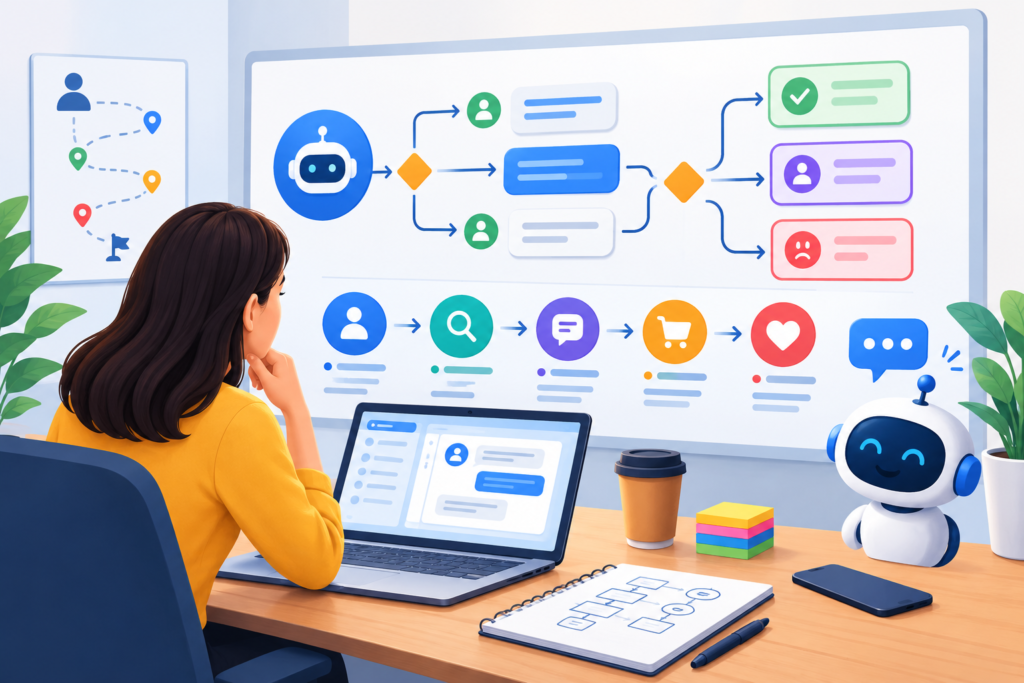
A conversation flow is a structured representation of the routes a user can take through a chatbot interaction. Before writing every message, identify the user’s starting point, desired outcome, required information, and possible obstacles. Then map the journey from the initial greeting to task completion. For an appointment chatbot, the sequence might include identifying the service, collecting the preferred date, checking availability, confirming the selection, and providing the next steps. Each stage should have a clear purpose. If a question does not help the chatbot provide a better answer, complete the task, or meet a legitimate business requirement, consider removing it. Shorter, purposeful conversations generally reduce unnecessary effort.
Flowcharts and conversation maps help reveal missing branches before development begins. For each major step, consider the expected answer, an unexpected response, missing information, a user who changes their mind, and a user who wants human assistance. For example, someone booking a consultation may enter a date when no appointments are available. The chatbot should offer alternative dates or explain how to contact the team instead of repeating the same question. Likewise, a visitor may initially request pricing and then ask a related question about the scope of work. The conversation should preserve useful context and allow the user to move between relevant topics without restarting unnecessarily. Designing these branches early reduces the chance of creating frustrating dead ends.
A useful conversation flow also defines completion criteria. The chatbot should know when a request has been resolved, when more information is needed, and when the interaction should be escalated. Avoid treating every message as a separate transaction. If a user has already supplied their preferred service, there is rarely a reason to ask for it again unless the information needs confirmation. At the same time, do not assume that an ambiguous response means the user has agreed to an important action. Confirm consequential choices before submitting bookings, changing account details, or initiating other operations. Once the flow has been mapped, test it using realistic scenarios and representative user language. Include successful journeys, interruptions, invalid inputs, repeated questions, and abandoned tasks. A flow that works only when users follow the designer’s exact wording is not ready for real-world use.
Writing Natural, Helpful, and Consistent Chatbot Conversations
Conversation writing is a core part of chatbot design because users experience the system primarily through its messages. Write in plain, direct language that matches the audience’s familiarity with the subject. Instead of asking, “Please specify the relevant service category to facilitate the processing of your request,” a chatbot could say, “Which service do you need help with?” The shorter version is easier to understand and requires less effort. Use specific wording for questions, confirmations, and errors, and explain technical terms when they are necessary. Avoid making every message sound like a marketing slogan. The chatbot’s purpose is to help users move forward, not to turn each interaction into a promotional opportunity.
A consistent conversational tone helps establish trust. A professional business assistant might sound friendly, clear, and confident without becoming overly casual. A technical support chatbot may need precise instructions, while a hospitality assistant may benefit from warmer language. Create a conversation style guide that defines preferred vocabulary, sentence length, formality, punctuation, and the way the chatbot handles sensitive or frustrating situations. The guide should also explain how to acknowledge uncertainty. If the chatbot does not know an answer, it should say so plainly and offer a sensible next step. It should never invent policies, prices, product specifications, or commitments to keep the conversation moving. Where information depends on changing business conditions, connect the response to a maintained source rather than relying on outdated static text.
Good chatbot writing also reduces cognitive effort by asking one meaningful question at a time. A message that requests a name, email address, budget, preferred date, service category, and project description all at once can feel like a form disguised as a conversation. Collect only the information needed for the current step, explain why it is required when appropriate, and allow users to correct mistakes. Quick replies can simplify common choices, but users should still be able to provide free-text answers when the situation requires flexibility. Confirmation messages should summarize important details before the user commits to an action. For example, a booking confirmation can display the selected service, date, time, and any relevant conditions. These small writing decisions make the conversation easier to follow and reduce preventable errors.
Improving Chatbot Intelligence, Intent Recognition, and Response Accuracy
A chatbot must interpret user requests reliably before it can provide meaningful assistance. Intent recognition involves identifying what the user is trying to accomplish, such as checking a delivery status, asking about pricing, or requesting technical help. Entity extraction identifies relevant details within the message, such as a product name, appointment date, location, or order reference. Together, these capabilities help the system determine the appropriate response or next action. A user who writes, “Can I move my consultation to Friday?” should be understood as requesting a schedule change, even if the chatbot’s predefined example says, “I need to reschedule my appointment.” Designing for multiple natural expressions makes the system more useful to people who do not know the exact phrases anticipated by its creators.
Build an intent library using actual customer questions, support records, and realistic examples rather than relying entirely on invented test sentences. Include variations in sentence structure, common spelling errors, incomplete messages, and questions that contain more than one possible meaning. Identify intents that are easily confused and decide when the chatbot should ask a clarifying question. For example, “I need help with my account” could refer to password recovery, billing, profile updates, or account cancellation. Asking the user to choose among a few relevant options is safer than guessing. For knowledge-based responses, maintain an approved information source with clear ownership, review dates, and a process for updating obsolete material. If retrieval-augmented generation is used, test whether the chatbot finds the correct passage and accurately represents it in the final answer.
Response quality should be evaluated systematically. Create a test set containing common questions, less frequent scenarios, ambiguous requests, unsupported questions, and adversarial inputs that may attempt to override the chatbot’s instructions. Measure whether the system identifies the correct intent, extracts necessary details, retrieves relevant information, and gives an appropriate answer. Test both successful responses and graceful failures. A well-designed chatbot should recognize when confidence is insufficient, request clarification, or transfer the conversation rather than presenting a guess as a fact. For higher-risk operations, use explicit permissions, input validation, and confirmation steps instead of allowing an open-ended model response to trigger an unrestricted action. Establish a regular review cycle using anonymized conversation outcomes and human feedback. Improving the system should mean correcting identifiable failure patterns, not simply making its answers longer or more conversational.
Personalization and Context-Aware Chatbot Experiences
Personalization allows a chatbot to adapt its responses and recommendations to a user’s needs, preferences, and current situation. Instead of providing the same generic conversation to every visitor, a personalized chatbot can use relevant context to make interactions more efficient. For example, a visitor exploring website design may need information about project scope, estimated timelines, and consultation options. A returning customer seeking technical assistance may need troubleshooting instructions rather than a general introduction. The objective is not to make every message feel artificially customized. It is to provide relevant assistance that reduces the effort required to complete a task. Good personalization is useful, transparent, and proportionate to the information available.
The first step is to determine which contextual information genuinely improves the conversation. This might include the service a visitor selected, answers already provided during the current session, the page from which the chatbot was opened, or a customer’s stated preferences. Use this context to avoid repetitive questions, present relevant options, and direct users toward appropriate resources. For instance, if a visitor opens the chatbot from a pricing page, the initial suggestions might include requesting a quotation, comparing plans, or understanding what affects project costs. However, the chatbot should not assume that every visitor on that page has the same intention. Allow users to choose another topic and correct inaccurate assumptions. Context should guide the conversation without restricting the user’s freedom.
Personalization must also respect privacy and user expectations. Do not collect sensitive information merely because it could theoretically improve recommendations. Explain the purpose of requested data, limit collection to what is necessary, and establish appropriate retention and access controls. Avoid revealing private account information unless the system has verified the user’s authorization. If a chatbot uses stored preferences, provide a reasonable way to review or correct them where appropriate. Businesses developing more advanced AI personalization can consult the NIST Privacy Framework when reviewing privacy risks and organizational safeguards. A useful rule is to personalize the experience using information that is relevant, permitted, and reliable. When personalization makes the next step clearer or eliminates unnecessary effort, it adds value. When it feels intrusive or produces incorrect assumptions, it can undermine trust.
Integrating Chatbots with Websites, CRM Systems, and Business Tools
A chatbot becomes more useful when it can interact with the systems that support real business operations. A standalone chatbot may answer general questions, but an integrated assistant can potentially retrieve product information, create a sales enquiry, check appointment availability, or record a support request. The appropriate integrations depend on the chatbot’s purpose. A lead-generation chatbot may need a customer relationship management system, while an appointment assistant may need a scheduling platform and calendar. An e-commerce chatbot might connect to a product catalogue, order management system, and delivery information source. These connections help turn conversations into completed tasks instead of leaving users with instructions they must carry out manually.
Start by mapping the information and actions required for each user journey. Identify where the relevant data is stored, which system is authoritative, and whether the chatbot needs permission to read information, write new records, or modify existing ones. For example, a chatbot that collects a consultation request may need to validate the submitted details, create a lead record, assign it to the appropriate team, and return a confirmation to the user. Each step should have a defined success condition and an appropriate error response. If a CRM connection fails, the chatbot should not claim that the enquiry was successfully recorded. It should explain the problem and provide an alternative submission method. Integration testing should cover missing fields, expired credentials, duplicate requests, network interruptions, and unexpected responses from connected systems.
Security should be built into the integration architecture. Use documented APIs, appropriate authentication, narrowly scoped permissions, and server-side validation. Avoid placing secret API keys in browser-side scripts or giving an AI model unrestricted access to business systems. Actions that affect accounts, payments, bookings, or customer records should be protected by suitable authorization and confirmation procedures. Maintain logs that help authorized staff investigate failures without unnecessarily exposing personal information. Also consider rate limits, retry behavior, and safeguards against duplicate operations. The OWASP API Security Project provides authoritative guidance on common API security risks. For a production chatbot, reliable integrations are not simply a technical enhancement; they are part of the customer experience. A well-designed conversation must remain understandable and useful even when an external system is temporarily unavailable.
Accessibility, Privacy, Security, and Responsible AI Design
An effective chatbot should be usable by people with different abilities, devices, communication preferences, and levels of technical confidence. Accessibility begins with an interface that supports keyboard navigation, readable text, clear focus indicators, understandable labels, and sufficient color contrast. Screen-reader users should be able to identify the chat launcher, understand new messages, operate controls, and recognize when the conversation changes. Avoid relying exclusively on color, animation, or sound to communicate important information. Give users enough time to read responses, and ensure that interface updates do not unexpectedly move focus or interrupt the task. The WCAG 2.2 guidelines provide a structured basis for evaluating these requirements.
Privacy and security require equally deliberate decisions. Collect only the information necessary to deliver the requested service, explain why it is needed, and define how it will be stored and used. Where personal data is involved, review the applicable legal requirements for the locations and industries in which the business operates. Do not request passwords, payment card details, or other highly sensitive information in ordinary chat messages when a secure, purpose-built process is more appropriate. For authenticated services, verify identity before displaying private account information or allowing sensitive changes. Establish retention periods, restrict internal access, protect information in transit and at rest, and document how security incidents will be handled. A chatbot privacy notice should be understandable to ordinary users rather than consisting entirely of technical or legal terminology.
Responsible AI design also requires clear boundaries. Tell users when they are interacting with an automated assistant, particularly when confusion with a human representative could affect their decisions. Define which subjects the chatbot may address, what information it can access, and which actions require human review. Test for hallucinations, biased responses, disclosure of confidential information, prompt injection, and attempts to bypass system restrictions. A chatbot used for high-impact decisions requires stronger controls than one that answers basic questions about opening hours. Keep human assistance available for complex, sensitive, or disputed cases. Review the NIST AI Risk Management Framework to support a structured approach to AI risk identification and management. Trustworthy chatbot design does not promise that failures will never occur; it establishes ways to prevent foreseeable failures, detect problems, communicate limitations, and respond responsibly when something goes wrong.
Testing, Launching, and Maintaining a Chatbot
Chatbot testing should begin before the interface is connected to live customers. A structured test plan should cover the most common user journeys, alternative paths, ambiguous requests, unexpected input, and technical failures. Verify that the chatbot asks appropriate questions, remembers relevant details, retrieves accurate information, and confirms important actions correctly. For a lead-generation assistant, test whether valid enquiries reach the correct destination and whether users receive a confirmation only after the record has been created successfully. For a support chatbot, test whether troubleshooting instructions are accurate and whether unresolved issues can be escalated. Include realistic wording rather than testing only the exact phrases written by the original designer.
Usability testing is just as important as functional testing. Ask representative users to complete practical tasks without telling them exactly which buttons to select. Observe where they hesitate, which questions they misunderstand, whether they can recover from errors, and whether they recognize when a task is complete. A chatbot may pass technical tests while still confusing real users. Record the problems, prioritize them by severity and frequency, and repeat the tests after improvements. Automated test cases can help verify stable conversation paths, while human review remains valuable for evaluating tone, relevance, empathy, and the quality of AI-generated responses. Test the experience on desktop and mobile devices, using different browsers and assistive technologies where relevant.
Launch gradually whenever the business impact or technical complexity justifies a controlled rollout. Begin with a limited set of well-understood tasks, monitor conversations closely, and expand capabilities after the core experience proves reliable. Before launch, confirm that the knowledge base is current, integrations are functioning, privacy disclosures are visible, escalation routes work, and responsible staff know how to respond to reported issues. Establish an incident process for disabling a malfunctioning feature or reverting to a simpler workflow if necessary. Maintenance should continue after deployment. Business policies change, products are discontinued, APIs are updated, and users develop new ways of expressing their needs. Review failed conversations, update outdated answers, rerun regression tests, and document changes. A chatbot should be treated as a maintained business system, not a one-time website feature.
Measuring Chatbot Performance and Optimizing Conversions
Chatbot analytics help determine whether the design is solving user problems and supporting business objectives. Begin with a small group of meaningful metrics tied to the original goals. For customer support, these might include successful resolution rate, escalation rate, response accuracy, and customer satisfaction. For lead generation, relevant metrics may include qualified enquiries, completion rate, and the proportion of chatbot-generated leads that progress to a meaningful sales conversation. An appointment chatbot may be evaluated through completed bookings, failed booking attempts, and abandonment at each step. Total conversations can provide context, but high conversation volume does not necessarily indicate success. Users may be opening the chatbot repeatedly because it fails to answer their questions.
Measure the entire journey rather than focusing only on the final outcome. If many users abandon the conversation after being asked for their email address, investigate whether the request appears too early, feels unnecessary, or lacks a clear explanation. If users repeatedly ask the same question after receiving an answer, the response may be incomplete or difficult to understand. If a particular intent produces frequent transfers to human staff, review the knowledge source, recognition logic, and limits of the automated workflow. Combine quantitative analytics with qualitative review of appropriately protected conversation samples. Remove or mask personal information where possible, restrict access to records, and follow applicable privacy requirements. These measures help teams identify meaningful patterns without treating customer conversations as unrestricted data.
Use controlled experiments when evaluating design changes. For example, compare two welcome messages or two versions of a booking flow while keeping the main objective and measurement method consistent. Define the primary metric before the test, allow enough time to gather meaningful observations, and check whether a change improves the overall experience rather than only one narrow measure. A shorter conversation may improve completion but reduce the quality of collected information; a more detailed answer may improve resolution while increasing response time. Consider these trade-offs before deciding which design is better. For website performance, Google’s Core Web Vitals guidance can help teams assess loading performance, responsiveness, and visual stability. Monitor whether the chatbot interferes with the main page experience, especially on mobile devices. Optimization should be an ongoing process of identifying friction, testing a reasonable improvement, reviewing the evidence, and retaining changes that produce real benefits.
Common Mistakes to Avoid When Designing a Chatbot
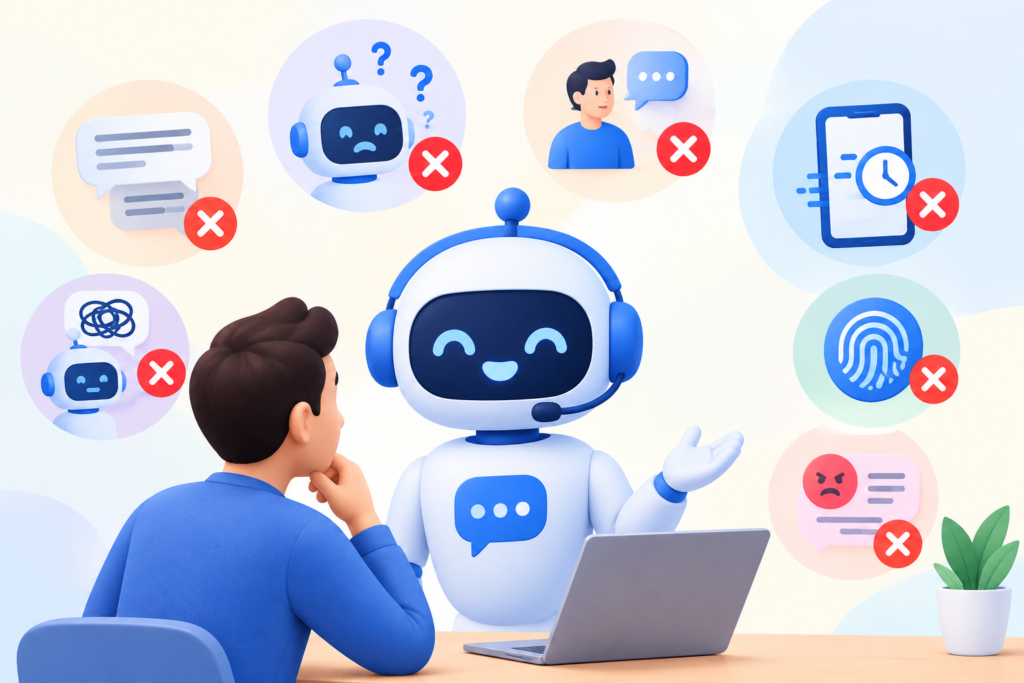
One of the most common chatbot design mistakes is starting with technology instead of a customer problem. Teams may choose an advanced AI model, add numerous integrations, and build complex workflows before establishing what users actually need. The result is often an expensive system with features that create little value. Avoid this by identifying a narrow, meaningful use case and validating it with real user questions. Another frequent mistake is making the welcome message too vague. Statements such as “How can I help?” may be acceptable in some contexts, but a chatbot serving a specific purpose should also offer relevant examples. Clear suggestions help visitors understand the available assistance without forcing them to guess what the system can do.
A second group of mistakes involves conversation flow and response quality. Asking too many questions at once, repeating information, providing long blocks of irrelevant text, and forcing users through rigid menus can make an otherwise capable chatbot difficult to use. Designers sometimes create happy-path demonstrations that work only when users follow a predefined sequence. Real visitors change topics, provide incomplete answers, make typing errors, and ask unexpected questions. Every important flow should therefore include recovery options, clarification prompts, and an appropriate way to reach a human. AI chatbots also require protection against unsupported answers. If the system cannot verify a policy or retrieve a reliable source, it should communicate that limitation instead of inventing details.
Operational mistakes can be equally damaging. Launching without testing, connecting systems with excessive permissions, ignoring privacy requirements, and failing to monitor conversations can expose the business to avoidable risks. Some teams measure success using only the number of chats initiated, overlooking whether users complete their tasks or become frustrated. Others neglect maintenance, allowing outdated prices, incorrect policies, and broken integrations to remain in production. To prevent these problems, assign responsibility for chatbot content, technical reliability, security, and performance reviews. Maintain test scenarios for common and high-risk interactions, monitor failures, and establish a process for correcting issues promptly. Most importantly, do not treat human support as an embarrassing exception. A reliable handoff is a sign of thoughtful design because it acknowledges that automation has limits and protects the user’s ability to get the help they need.
Best Practices Summary for Successful Chatbot Design
Successful chatbot design begins with a clear purpose, a defined audience, and a measurable outcome. Identify the tasks that users want to complete and determine whether a conversational interface is the most appropriate way to help them. Choose a rule-based, AI-powered, or hybrid architecture according to the complexity of those tasks, the reliability requirements, the available information, and the team’s ability to maintain the system. Map the main conversation journeys before building the interface, and identify the questions, decisions, integrations, and failure conditions that each journey requires. Prioritize the smallest useful set of capabilities rather than trying to automate every business process at once.
Keep the user experience clear and consistent. Write concise messages, ask focused questions, provide meaningful options, and avoid collecting unnecessary information. Make it easy for users to correct mistakes, change direction, request clarification, or speak to a person. Use context to reduce repetition without making intrusive assumptions. Design the interface for mobile devices and different accessibility needs, and ensure that important controls can be operated using appropriate input methods. Maintain a consistent tone across greetings, normal responses, errors, and escalation messages. For AI-driven systems, use approved information sources, evaluate response accuracy, and establish explicit boundaries around sensitive topics and consequential actions.
Treat quality, privacy, and improvement as ongoing responsibilities. Test real-world scenarios before launch, verify that integrations report success accurately, and monitor the chatbot against the outcomes that matter to the business. Apply appropriate authentication, authorization, data minimization, retention, and security controls. Review failed interactions to identify recurring problems and update the conversation design, knowledge base, or technical implementation accordingly. Keep records of important changes and rerun relevant tests after updates. Google’s Search Essentials is a useful reference when optimizing the surrounding website for discoverability, while the helpful content guidance reinforces the value of original, reliable, people-first information. Neither a chatbot nor its supporting content can be guaranteed a particular search ranking. The strongest long-term strategy is to create a genuinely useful experience, measure the results, and improve it based on evidence.
Frequently Asked Questions
What is chatbot design?
Chatbot design is the process of creating the conversational structure, interface, behavior, and supporting workflows of a chatbot. It includes deciding what the chatbot should do, how it should communicate, how users navigate conversations, what information it can access, and how it handles errors. Effective chatbot design combines user experience principles with reliable technical implementation. The objective is to help users complete tasks efficiently while ensuring that the chatbot’s responses and actions remain appropriate to its intended purpose.
How do I design a chatbot for my website?
Start by identifying the most common questions or tasks that visitors need help with. Define the chatbot’s primary objective, choose the appropriate architecture, and map the main conversation paths. Write clear messages, create a simple interface, and connect the chatbot to reliable information sources where necessary. Include a route to human assistance and test the experience with realistic user scenarios before launch. After deployment, measure completion rates, response quality, and user feedback to identify areas for improvement.
What is the difference between rule-based and AI-powered chatbot design?
A rule-based chatbot follows predefined rules and conversation paths, making it suitable for structured tasks such as answering standard questions or collecting appointment details. An AI-powered chatbot can interpret more varied language and respond more flexibly, depending on its model, information sources, and configuration. Rule-based systems generally provide more predictable behavior within their defined boundaries, while AI systems can handle broader expressions but may produce inaccurate answers. A hybrid approach can combine predictable workflows with flexible language understanding.
Which features should a well-designed chatbot include?
Useful features depend on the chatbot’s purpose, but many business chatbots benefit from a clear welcome message, relevant conversation options, understandable responses, context retention, error recovery, and human escalation. Business-specific features may include appointment booking, lead capture, product search, or support ticket creation. AI-powered implementations may also require approved knowledge sources, confidence-aware handling, access controls, and response monitoring. Start with features that support the primary user journey and add more only when there is a clear need.
How can I make a chatbot conversation feel natural?
Use everyday language, keep messages focused, and ask one meaningful question at a time. Remember relevant information already provided in the conversation, avoid unnecessary repetition, and allow users to express themselves in their own words. Provide clarification when a request is ambiguous rather than guessing. Maintain a consistent tone and acknowledge limitations honestly. Natural communication should not come at the expense of accuracy; a straightforward statement that the chatbot needs clarification is often more helpful than an elaborate but incorrect answer.
How do I measure whether a chatbot is successful?
Measure success against the chatbot’s original purpose. A support chatbot might be evaluated through successful resolution, customer satisfaction, and escalation rates. A sales assistant might be measured by qualified leads and the progression of those leads through the sales process. A booking chatbot might focus on completed appointments and abandonment rates. Combine these metrics with response accuracy, reliability, and feedback from real users. Compare results with a baseline established before launch, and investigate whether changes improve meaningful outcomes rather than merely increasing conversation volume.
How can I protect user privacy when designing a chatbot?
Collect only the information necessary for the task, explain why it is required, and establish appropriate access, storage, and retention controls. Use secure connections and properly protected integrations. Verify identity before displaying private account information or allowing sensitive changes. Avoid requesting confidential information through ordinary chat messages when a secure alternative is available. Review the laws that apply to your business and customers, and test how the chatbot handles attempts to expose private data. Privacy should be considered throughout planning, development, deployment, and maintenance.
How often should a chatbot be updated?
Review chatbot performance regularly and update it whenever business information, customer needs, policies, integrations, or security requirements change. The appropriate review schedule depends on the chatbot’s risk and complexity. A system that provides changing prices or handles bookings may require frequent checks, while a simple FAQ chatbot may need less frequent content revisions. Monitor failed conversations and outdated answers continuously where practical. After significant changes, run regression tests to ensure that existing workflows still function correctly and that new capabilities do not introduce unexpected problems.
Want to Implement This Easily?
Prompt Text:
You are an expert consultant. Based on the blog post titled “(Design Chatbot)”, provide a step-by-step, practical implementation guide. Include tools, best practices, common mistakes to avoid, and advanced tips. Assume the reader wants to implement everything discussed in this article effectively.
Call to Action:
Want our help implementing this? Just reach out to us via our website contact form: Contact Us