

Learn how a Sport Chatbot can improve fan engagement, provide sports information, support ticketing, personalize conversations, assist visitors, and streamline digital customer service.
Introduction
Sports have always been built around communication, community, competition, and emotion. Today, much of that interaction happens digitally. Fans visit websites to check fixtures, discover events, follow teams, understand ticketing options, find venue information, and ask questions before making decisions. When information is difficult to locate or support is slow, even highly engaged fans can become frustrated. A Sport Chatbot provides a conversational way to make important information easier to access while creating a faster and more interactive digital experience.
A modern sports chatbot can support far more than basic frequently asked questions. Depending on its configuration and integrations, it can help visitors discover upcoming events, understand ticketing procedures, locate venue facilities, access team information, find membership details, receive relevant updates, and connect with human support when necessary. The most successful implementations are not designed to replace every human interaction. They are designed to handle repetitive requests efficiently while allowing people to take over when a conversation requires expertise, judgment, or personal attention.
Quality should remain at the center of any conversational AI strategy. Google’s guidance on helpful, reliable, people-first content emphasizes creating information that genuinely helps users, provides substantial value, and is created for people rather than primarily for search-engine manipulation. helpful, reliable, people-first content The same principle applies to chatbot experiences: technology should solve genuine audience problems rather than exist simply because artificial intelligence is popular.
This guide explains how sports organizations can use conversational technology strategically. It covers fan engagement, event discovery, ticketing, personalization, live information, integrations, security, implementation, measurement, common mistakes, and practical best practices. Whether the organization is a professional sports club, league, stadium, academy, tournament organizer, sports retailer, fitness business, or community program, the objective is the same: create a digital experience that is useful, accurate, accessible, and trustworthy.
What Is a Sport Chatbot and How Does It Work?
A Sport Chatbot is a conversational software solution designed to communicate with fans, athletes, members, customers, visitors, or sports participants through natural-language interaction. Instead of requiring users to search through multiple menus, pages, PDFs, or help articles, the chatbot allows them to ask questions using ordinary language. The system then interprets the request and provides an appropriate response, recommendation, link, or next step.
A basic chatbot may rely on predefined questions and answers, while an advanced sports AI assistant can combine conversational artificial intelligence, natural-language understanding, structured information, APIs, databases, knowledge bases, and business-system integrations. For example, a visitor might ask, “When is the next home match?” The chatbot can identify that the user wants fixture information and retrieve the relevant event. The user could then ask, “Where is it being played?” and continue the conversation without repeating the entire context.
This conversational continuity is one of the major differences between a chatbot and a traditional search interface. A search box generally expects the user to enter a new query each time. A conversational assistant can maintain the subject of the discussion and use previous messages to understand follow-up questions. This makes the interaction feel more natural and can reduce the effort required to find information.
However, the chatbot’s quality depends on the information and systems supporting it. If fixture data is outdated, the response may be wrong. If ticket availability cannot be verified, the chatbot should not invent availability. If a question involves a private account, the system may need authentication before providing information. If the request falls outside the chatbot’s capabilities, it should provide a clear fallback rather than repeatedly failing.
A professional implementation therefore requires more than selecting an AI model. It requires accurate content, reliable data sources, defined conversation flows, appropriate integrations, security controls, human escalation, monitoring, and ongoing improvement.
The system should also distinguish between informational and transactional conversations. Explaining a stadium’s opening hours is relatively straightforward. Processing a ticket purchase, changing membership information, or accessing private customer records involves significantly greater responsibility. These activities may require secure authentication and integration with authorized systems.
The best sports chatbot is therefore not necessarily the one with the largest number of features. It is the one that reliably handles the questions that matter most to its audience.
Why Sports Organizations Are Investing in Conversational AI
Sports organizations face an unusual customer-service environment because demand can change dramatically depending on the event. On a normal day, a website may receive a manageable number of questions. Before a major match, tournament, championship, or ticket release, thousands of people may seek information within a short period. Questions about schedules, ticketing, parking, venue access, seating, merchandise, membership, and event rules can quickly overwhelm support teams.
Conversational AI can help absorb this repetitive demand. Instead of requiring employees to answer the same basic questions repeatedly, a chatbot can provide immediate responses to common requests. This allows human staff to spend more time handling complex issues that require judgment, empathy, account investigation, or specialist knowledge.
Availability is another important benefit. Sports audiences are not always located in the same country or time zone as the organization. International supporters may visit the website outside normal office hours. A chatbot can provide a self-service information channel at any time, provided its underlying information remains accurate and maintained.
A conversational interface can also reduce digital friction. Consider a fan trying to find information about an upcoming match. The information might exist across a fixture page, ticket page, venue page, parking page, and FAQ section. A chatbot can potentially bring these related pieces together into a single conversation.
This does not mean every website should replace conventional navigation with a chatbot. Traditional pages remain valuable because they provide permanent, indexable information and allow users to browse independently. The chatbot should complement those resources by offering another route to information.
There is also a broader engagement opportunity. Sports supporters may want to explore team history, player information, upcoming fixtures, event recommendations, community programs, merchandise, or membership opportunities. A conversational assistant can help users discover relevant content while keeping the interaction centered on their interests.
The business case should nevertheless be based on genuine problems. Organizations should identify repeated questions from support tickets, website searches, customer-service conversations, event-day inquiries, and other real user interactions. Those findings can reveal which chatbot capabilities would provide the greatest value.
Google’s guidance specifically encourages creators to ask whether content provides original, substantial, useful information and whether visitors leave with enough knowledge to achieve their goal. Google’s people-first content guidance A similar philosophy should guide chatbot development: build around real user needs rather than chasing technology trends.
Major Use Cases for a Sport Chatbot
A sports chatbot can support many areas of a sports organization’s digital journey. One of the simplest and most valuable applications is answering frequently asked questions. Visitors may ask about opening hours, match times, venue addresses, parking, accessibility, ticket policies, membership, merchandise, contact information, or event rules.
Another important use case is fixture and event discovery. Fans can ask about upcoming matches, tournaments, competitions, youth programs, training sessions, community events, or special activities. If the chatbot connects to reliable event information, it can narrow the available choices according to the user’s request.
Ticketing is another high-value application. A chatbot can explain ticket categories, purchasing procedures, age requirements, seating information, ticket transfer rules, refund policies, or venue entry procedures. Depending on the organization’s technology stack, it may also connect users directly to a ticketing platform.
Membership support can include questions about membership benefits, renewal procedures, digital passes, account access, loyalty programs, or general policies. Where personal account data is involved, the organization must ensure that appropriate authentication and access controls are in place.
Sports organizations can also use conversational AI for merchandise discovery. A supporter might ask which products are available, whether a particular item exists, or where the official store can be accessed. The chatbot can help users navigate the relevant shopping journey without pretending to know inventory it cannot verify.
Venue assistance is another useful application. Fans may ask where a particular entrance is located, whether parking is available, where accessible facilities can be found, or which items are prohibited inside the stadium. These questions can become especially important immediately before or during an event.
For sports academies and community organizations, the chatbot can support registration inquiries, training schedules, age-group information, program details, coaching questions, and general participation guidance.
A chatbot can also support internal staff in certain situations. Employees may use a controlled assistant to find internal procedures, event documentation, operational information, or support resources. Such systems should be separated appropriately from public-facing experiences, particularly when confidential information is involved.
The key is prioritization. Organizations should not attempt to automate everything at launch. A better approach is to identify the highest-volume and highest-value use cases, implement them carefully, measure their performance, and expand the chatbot based on actual demand.
Improving Fan Engagement Through Conversational Experiences
Fan engagement extends far beyond a match result. It includes every meaningful interaction between a supporter and a sports organization. A chatbot can strengthen this relationship by making useful information easier to discover before, during, and after an event.
Before a match, fans may need to know the start time, venue, opponent, ticket arrangements, transportation options, parking details, accessibility services, entry requirements, or merchandise availability. A conversational assistant can help answer these questions in a logical sequence instead of forcing the visitor to search independently across several pages.
During an event, the need for quick information can increase. Visitors may need directions to entrances, seating sections, facilities, food areas, merchandise locations, first-aid services, or accessibility points. A chatbot designed for event-day assistance can become a useful digital companion when its information is accurate and easy to access from mobile devices.
After an event, the conversation does not have to end. Fans may want information about the next fixture, upcoming competitions, memberships, community events, merchandise, or other content. A chatbot can guide users toward relevant next steps and help maintain engagement between major events.
Personalization can make these interactions more relevant. A visitor interested in one team or competition may receive information related to that subject rather than a broad collection of unrelated options. However, personalization should always be based on genuine context. The system should not pretend to know facts about a user that it does not actually possess.
There is also an important emotional dimension to sports. Supporters can be highly passionate, particularly during major competitions. This means tone matters. A chatbot should be friendly and responsive without pretending to be a human representative. It should communicate clearly and avoid making exaggerated claims.
A useful chatbot should also recognize when automation is no longer appropriate. If a fan has a complicated ticketing problem, a payment issue, a complaint, or an account-specific problem, the system should make human escalation easy.
Fan engagement should ultimately be measured by outcomes rather than conversation volume. Useful metrics may include completed conversations, successful information retrieval, ticket-page visits, support deflection, escalation rates, user satisfaction, repeat usage, and task completion.
A chatbot that generates thousands of messages but leaves users confused is not delivering meaningful engagement. A system that helps thousands of fans accomplish their goals quickly may be much more valuable even if conversations are shorter.
Using a Sport Chatbot for Live Scores, Fixtures, and Sports Updates
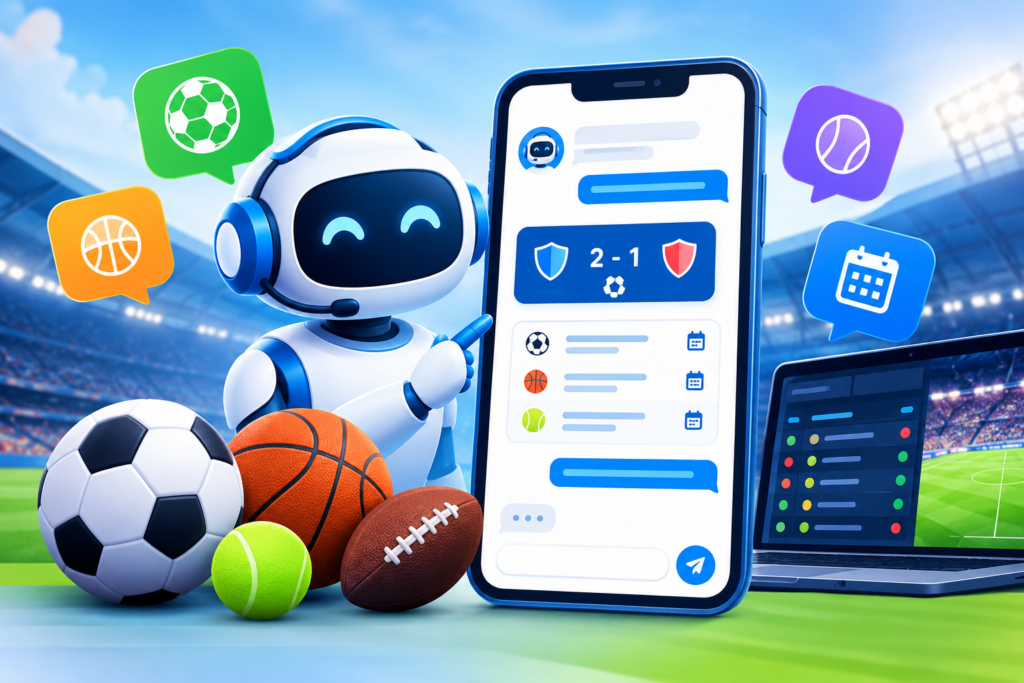
Sports information changes rapidly. Match times can move, events can be postponed, scores can change by the minute, and competition schedules can be revised. This makes live sports information one of the areas where chatbot accuracy is especially important.
A reliable sports information chatbot should distinguish between static and dynamic information. Static content might include general venue rules, membership explanations, historical information, or standard contact details. Dynamic content may include live scores, current fixtures, standings, ticket availability, event status, or other information that can change frequently.
Dynamic information should come from an appropriate source rather than being manually copied into a chatbot knowledge base and forgotten. If an organization uses an external sports-data provider, the integration should have clear rules about freshness, reliability, error handling, and data ownership.
The chatbot should also be transparent about limitations. If live information cannot be verified, it should say so. A response such as “I cannot confirm the current score right now” is much safer than generating a confident but incorrect score.
Fixture information requires similar discipline. If an event changes, the update should reach the systems that publish the information. This includes the website, event pages, ticketing information, structured data, and chatbot where applicable.
Google’s documentation for Event structured data explains that event information can help Google understand event pages and requires accurate information such as event names, dates, locations, and other properties. Event structured data While structured data is separate from chatbot functionality, maintaining consistent event information across these systems supports a more reliable digital experience.
Conversation context can make live information even more useful. A fan may ask:
“When is the next match?”
After receiving the answer:
“Is that a home game?”
Then:
“What time should I arrive?”
A context-aware chatbot can understand that the follow-up questions refer to the same event. This reduces repetition and creates a smoother interaction.
Organizations should establish an authoritative source for each type of live information. The chatbot should know where schedule data comes from, where ticket information is verified, and which system should be treated as authoritative when conflicting information exists.
Accuracy should always take priority over conversational confidence.
Ticketing, Event Discovery, and Venue Assistance
Ticketing is one of the most commercially valuable applications for conversational technology. Fans often have questions before they are ready to purchase. They may want to understand ticket categories, seating arrangements, event times, venue access, refund policies, age requirements, or purchasing procedures.
A sports ticketing chatbot can answer general questions and guide visitors toward the correct purchasing journey. This can reduce friction between interest and action. Instead of forcing users to search through a large ticketing page, the chatbot can explain the relevant information and direct them to the appropriate destination.
Event discovery is equally important. A visitor might ask, “What games are happening this month?” Another might ask, “Are there any family-friendly events this weekend?” If the chatbot has access to accurate event information, it can present relevant options based on the user’s question.
Venue assistance provides another valuable opportunity. Fans may ask about parking, public transportation, entrances, accessibility, prohibited items, seating areas, food facilities, merchandise stores, or event-specific procedures.
The chatbot can also provide links to detailed pages when an answer requires more information. This creates a useful combination: conversational guidance for quick questions and permanent website pages for comprehensive details.
However, organizations should carefully separate guidance from transactions. A chatbot can explain how to buy a ticket without necessarily processing payment itself. If transaction functionality is implemented, the underlying systems must be secure and appropriately authorized.
Event information should also remain consistent across all channels. Google’s event documentation states that event pages should accurately describe important details such as the event name, start date, and location. accurate event information This is particularly important when an organization publishes the same event through multiple systems.
If a ticketing system reports that tickets are unavailable, the chatbot should not tell the visitor that tickets are available. If ticket prices change, outdated chatbot responses should not remain active. Dynamic information needs a defined maintenance process.
A strong ticketing chatbot therefore does more than answer questions. It reduces uncertainty and helps users understand the next step. Whether that means opening a ticket page, contacting support, checking an event policy, or preparing for arrival, the conversation should lead toward an accurate action.
Personalization and Smarter Sports Conversations
Personalization can make a chatbot feel significantly more useful because the system can adapt its responses to legitimate context. Instead of showing the same information to every visitor, it can potentially tailor the conversation around a selected team, competition, event, language preference, or current journey.
For example, a visitor exploring a basketball tournament should not need to navigate through unrelated football information. A supporter viewing a particular fixture should be able to ask follow-up questions about that event without repeating its name.
Context is one of the most powerful forms of personalization. Suppose a fan asks when the next home game takes place. After receiving the answer, they ask whether parking is available. The chatbot should understand that the parking question relates to the same event. This reduces friction and makes the conversation feel natural.
Personalization can also support different audience groups. A professional sports organization may serve season-ticket holders, casual supporters, members, sponsors, hospitality customers, academy participants, media representatives, and community visitors. Each group may have different information requirements.
However, personalization should never become an excuse for unnecessary data collection. Organizations should only use information that is relevant to the task and should apply appropriate privacy and security practices. Users should not be misled about what information the chatbot knows or how it was obtained.
The system should also avoid fabricated familiarity. If the chatbot does not know a user’s favorite team, it should not claim that it does. If a visitor has not provided a preference, the assistant can simply ask.
A good rule is relevance without overreach. Personalization should reduce effort, improve accuracy, and make information easier to discover. It should not make users feel monitored or manipulated.
Recommendations can also be personalized responsibly. Someone interested in a particular competition might receive information about upcoming fixtures in that competition. A visitor asking about youth programs could be directed toward relevant academy information rather than unrelated professional events.
The quality of personalization depends heavily on data quality and conversation design. Poorly configured personalization can be worse than no personalization because it can make the system appear inaccurate.
The strongest implementations therefore combine useful context with transparent boundaries. The chatbot should understand enough to help, but not pretend to know more than it actually does.
Designing an Effective Sport Chatbot User Experience
The user experience determines whether a sports chatbot feels genuinely helpful or becomes another obstacle on the website. A technically sophisticated system can still fail if visitors cannot understand what it does, responses take too long, buttons are confusing, or the conversation becomes difficult to escape.
The first principle is clarity. When the chatbot opens, users should immediately understand its purpose. Instead of a vague greeting, the interface can communicate useful capabilities such as event information, ticket guidance, venue assistance, or general support. Suggested questions can help users begin without making them feel forced into a rigid menu.
The second principle is simplicity. Sports websites can contain enormous amounts of information, but a chatbot should not expose all of that complexity at once. The assistant should provide concise answers and offer a clear next step when more information is available.
Mobile usability is particularly important. Many fans access sports information while traveling, commuting, or attending an event. The chatbot should therefore work comfortably on smaller screens, with readable text, accessible controls, and minimal unnecessary interaction.
Response design also matters. Long paragraphs may be difficult to read during an event. Important details such as a match time, venue, or action should be easy to identify. When a user asks a simple question, the chatbot should not respond with an unnecessarily complicated explanation.
Conversation recovery is another essential feature. Users will ask questions the system does not understand. Instead of repeatedly returning an error, the chatbot can clarify the request. For example, if a visitor says, “What time is it?” the system might need to determine whether they mean the event start time or the current local time. A short clarification question can prevent an incorrect response.
A human fallback should also be visible when appropriate. Some users will always prefer human support, while others will encounter situations outside the chatbot’s capabilities. Making escalation easy builds trust.
Accessibility should be considered throughout the design process. Text should be readable, controls should be usable with assistive technologies where applicable, and important information should not rely exclusively on color or visual elements.
A well-designed sports chatbot should feel like an efficient information assistant rather than a barrier between the visitor and the organization. Every element should help the user accomplish a real goal with less effort.
Natural Language Understanding and Conversation Design
Natural language is one of the biggest advantages of conversational AI because fans rarely phrase questions in exactly the same way. One visitor may ask, “When’s the next game?” while another says, “What date do we play again?” A third might write, “Next home fixture?” The system needs to understand that these requests may refer to the same underlying intent.
This is where natural language understanding becomes important. The chatbot should identify user intent, recognize relevant entities such as teams or events, understand context, and handle variations in phrasing.
Sports terminology can also be complex. Different regions may use different words for the same concept. A visitor might say “match,” “game,” “fixture,” or “contest.” Sport-specific language can include abbreviations, competition names, team nicknames, player names, and event terminology. A robust conversational design should account for these variations.
Intent design should be based on real questions. Organizations can review customer-service logs and website search data to create an initial set of high-priority intents. These might include fixture information, ticketing, venue directions, membership, merchandise, event policies, contact requests, and human support.
The chatbot should also understand when two questions belong to the same conversation. If the user asks about an upcoming match and then asks about parking, the second question should inherit the event context where possible.
Error handling should be carefully designed. When the system cannot understand a request, it should not blame the user. A response such as “I didn’t understand that” is less helpful than offering a small number of relevant interpretations.
For example:
“I can help with match times, tickets, or venue information. Which one do you need?”
This gives the user a clear path forward.
Conversation design should also include edge cases. What happens if the user changes topics? What happens if information is missing? What happens when the event is canceled? What happens if two teams have similar names? What happens when a user asks for information the chatbot is not authorized to provide?
These scenarios should be tested before launch.
The objective is not to make every conversation perfectly human-like. The objective is to make conversations predictable, useful, accurate, and easy to recover when something goes wrong.
Integrating the Chatbot With Sports Platforms and Business Systems
A chatbot becomes considerably more powerful when it can interact with reliable business systems. Without integrations, the assistant may be limited to a static knowledge base. With appropriate integrations, it can potentially provide current information and guide users through more advanced workflows.
Potential integrations include ticketing systems, event-management platforms, customer relationship management systems, membership databases, sports-data providers, content management systems, knowledge bases, analytics platforms, customer-support software, and commerce systems.
The architecture should be designed carefully. The chatbot should not have unrestricted access to every organizational system. Instead, it should receive only the information and permissions necessary for its intended functions.
For example, a public chatbot might be allowed to retrieve public fixture information but should not be allowed to modify customer accounts. A membership assistant may need authenticated access to account information, while a venue-information chatbot may need access only to public facility data.
API design is important because the chatbot depends on the reliability of these connections. If a ticketing API becomes unavailable, the chatbot should have a graceful fallback. It should not repeatedly retry in a way that creates unnecessary load or provides misleading responses.
Data synchronization should also be considered. If event information is updated in a central system, the chatbot should receive the change within an appropriate timeframe. Organizations should define which system is authoritative for each data type.
Caching can improve performance, but stale information is a risk. The acceptable freshness period depends on the information. A historical venue description may remain valid for months, while ticket availability may need near-real-time verification.
Integration testing should include both successful and failure scenarios. Teams should test missing records, invalid responses, timeouts, duplicate information, canceled events, authentication failures, and conflicting data.
The architecture should also make future expansion possible. A sports organization may initially launch a chatbot for FAQs and later add ticketing, membership, live-event assistance, or commerce features. A modular architecture can make these additions easier.
The most important principle is that the chatbot should never be treated as the authoritative source when it is actually only an interface to another system. The underlying source of truth must remain clear.
Data Privacy, Security, Accuracy, and Trust
Trust is fundamental to any sports chatbot that handles customer information. Fans may ask about accounts, memberships, tickets, payments, or other personal details. The organization must ensure that conversational convenience does not weaken security.
The first step is data minimization. A chatbot should not collect personal information simply because it can. Information should be collected only when it is necessary for a legitimate function.
Authentication becomes important when conversations involve private records. A public visitor should not be able to ask for another person’s membership information. If the chatbot supports authenticated workflows, the system should rely on the organization’s established authentication mechanisms rather than treating conversational statements as proof of identity.
Access control should also be carefully defined. Different users may have different permissions, and chatbot actions should respect those permissions.
Accuracy is equally important. A chatbot can damage trust quickly if it repeatedly provides incorrect ticket information, outdated fixtures, or misleading venue instructions. Organizations should establish processes for reviewing and updating the information behind the assistant.
Security should also be considered at the integration layer. APIs, databases, authentication systems, logs, and administrative interfaces all require appropriate protection.
Google’s Search guidance emphasizes trust and asks creators to consider whether content demonstrates expertise, transparency, and reliable information. Google’s E-E-A-T guidance While E-E-A-T is primarily discussed in relation to content quality, the underlying principle of building trustworthy experiences is highly relevant to conversational interfaces.
Organizations should also monitor chatbot behavior. Logs and analytics can reveal repeated failures, unusual requests, misunderstood intents, and common escalation patterns. These insights can improve both security and usability.
The chatbot should communicate its boundaries clearly. It should not pretend to be a human employee if it is an automated system. It should not claim to have completed an action unless the underlying system confirms that the action succeeded.
Trust is built through accurate answers, transparent limitations, reliable escalation, responsible data handling, and consistent behavior.
How to Implement a Sport Chatbot Step by Step
A successful implementation should begin with objectives rather than technology. The organization should first identify the problems it wants the chatbot to solve. Examples include reducing repetitive support questions, improving ticket discovery, helping event visitors, increasing self-service, or making fixture information easier to access.
The next step is audience research. Review support conversations, website searches, customer questions, event-day issues, and frequently visited pages. Group the findings into common intents. This provides an evidence-based foundation for the chatbot.
After identifying the use cases, create a content and data inventory. Determine where fixture information comes from, where ticket details are stored, which pages contain venue policies, and which system owns membership information.
The organization can then define the chatbot’s scope. Decide what it can answer, what it can link to, what actions it can perform, and when it must escalate to a human.
Conversation flows should be designed before implementation. Map the most important user journeys and include successful paths, ambiguous questions, errors, interruptions, and fallback scenarios.
The technical architecture comes next. Select the conversational platform, data sources, integrations, authentication approach, analytics solution, and administration workflow. The choice should be based on requirements rather than simply choosing the newest AI technology.
Build a controlled knowledge base and test it extensively. Include common language variations and realistic sports terminology. Test questions written by people who were not involved in creating the chatbot because they may phrase requests differently.
Next, connect the appropriate systems. Integrations should be introduced carefully and tested independently before being exposed to users.
Before launch, establish monitoring. Decide which metrics will determine success, which failures require investigation, and who owns ongoing updates.
A staged launch is often safer than releasing every feature simultaneously. Start with high-value, low-risk capabilities, measure performance, resolve problems, and then expand.
Finally, establish an ongoing improvement process. A chatbot should not be treated as a finished product. New events, competitions, policies, teams, and user questions will continuously change the information environment.
Measuring Performance, Engagement, and ROI
A chatbot should be measured against business and user outcomes rather than vanity metrics. The number of conversations alone does not indicate whether the system is successful.
One useful measurement is task completion. Did the user successfully find the fixture, locate venue information, reach the ticket page, understand a policy, or obtain the requested answer?
Another important metric is the escalation rate. A high escalation rate may indicate that the chatbot is handling only simple requests, but it can also reveal that the system is failing to understand common questions.
Conversation abandonment can provide another signal. If users frequently leave immediately after asking a question, the response may be unclear, slow, irrelevant, or difficult to act upon.
Customer satisfaction can be measured through simple feedback mechanisms. A short rating after selected conversations may reveal whether users consider the experience useful.
Organizations can also measure operational impact. If support teams previously received thousands of repetitive questions, compare the volume before and after chatbot implementation. This can help estimate the amount of repetitive work being automated.
Commercial metrics may include visits to ticketing pages, completed purchase journeys where tracking is appropriate, membership inquiries, event registrations, or merchandise interactions. These metrics should be interpreted carefully because a chatbot is rarely the only factor influencing a purchase.
Response quality should also be monitored. Organizations can review conversations for incorrect answers, unanswered questions, inappropriate responses, outdated information, and confusing flows.
Search and website analytics can complement chatbot analytics. If users continue searching for information that the chatbot claims to provide, there may be a content or discoverability problem.
Google’s documentation explains that structured data can be tested and monitored, including through the Rich Results Test and Search Console workflows. Rich Results Test This is especially relevant for sports organizations that publish event pages and want to maintain consistent structured information.
The best measurement framework connects chatbot activity to actual organizational objectives. If the goal is to reduce support workload, measure support reduction. If the goal is to improve event discovery, measure successful event journeys. If the goal is to improve fan satisfaction, measure satisfaction and task completion.
Common Mistakes When Implementing a Sport Chatbot
One of the most common mistakes is trying to make the chatbot do everything immediately. An organization may launch with dozens of intents, integrations, and automated actions without first validating the basic user experience. This can create a system that appears sophisticated but performs poorly.
Another major mistake is using outdated information. Sports schedules, ticket availability, venue policies, and event details can change. If the chatbot’s knowledge is not maintained, users may receive incorrect information at precisely the moment they need accuracy.
Poor natural-language understanding is another frequent problem. Fans do not always use formal terminology. If the chatbot understands only carefully written sample questions, it may fail with ordinary language, abbreviations, spelling variations, or follow-up questions.
Overcomplicated interfaces can also reduce usability. Too many buttons, categories, messages, and promotional elements can make the conversation difficult to navigate. The interface should help users accomplish tasks rather than overwhelm them.
Ignoring personalization is another missed opportunity. If the system has legitimate event context available, forcing users to repeat the same information can create unnecessary friction.
Slow response times can damage the experience as well. Users expect digital services to respond quickly, particularly when checking event information during a live situation.
The absence of human fallback is another serious mistake. Some conversations simply require a person. Users may have complaints, unusual account issues, payment problems, accessibility concerns, or other situations where automated responses are inappropriate.
Organizations should also avoid making unsupported claims. A chatbot should not say that tickets are available unless availability can be verified. It should not claim that an action has been completed when the underlying system has not confirmed it.
Finally, organizations should avoid creating search-engine-first content around the chatbot. Google’s guidance recommends people-first content that provides substantial value rather than content created mainly to manipulate rankings. Google Search guidance
A strong implementation therefore focuses on accuracy, usability, relevant automation, human escalation, reliable data, and continuous improvement.
Best Practices Summary for a High-Quality Sport Chatbot
A successful Sport Chatbot should begin with clearly defined user problems. Identify the questions fans ask most frequently and the tasks that cause the most friction. Build the initial chatbot around those needs instead of trying to automate every possible interaction.
Keep information accurate and maintainable. Separate static information from dynamic data and establish authoritative sources for fixtures, event details, ticketing, venue information, and membership content.
Design conversations around natural language. Include variations in wording, sports terminology, abbreviations, follow-up questions, ambiguous requests, and error scenarios.
Keep responses concise and actionable. Give users the information they need and make the next step obvious. Where additional detail is required, provide an appropriate route to the full website content.
Make mobile usability a priority. Fans may use the chatbot while traveling to an event or standing inside a venue, so the interface must remain easy to operate on small screens.
Provide human escalation. Automation should reduce repetitive workload, not trap users inside an automated system when human support is needed.
Use integrations carefully. Connect only the systems required for the chatbot’s defined functions, apply appropriate access controls, and establish fallback behavior when external services are unavailable.
Protect user information. Minimize data collection, use appropriate authentication for private information, and avoid exposing sensitive data through ordinary conversations.
Measure real outcomes. Track task completion, satisfaction, escalation, unanswered questions, response quality, support reduction, and relevant commercial outcomes.
Continuously improve the system. Review conversations, identify failed intents, update information, test new flows, and remove outdated content.
For event-focused websites, organizations should also maintain accurate event pages and structured information. Google’s event guidance explains that event data should accurately represent details such as event name, date, location, and ticket information where applicable. Google event documentation
Most importantly, treat the chatbot as part of the overall digital experience rather than an isolated AI feature. The best results come when conversational assistance works together with strong website content, clear navigation, accurate event information, responsive support, and well-maintained business systems.
FAQs
1. What is a Sport Chatbot?
A Sport Chatbot is a conversational digital assistant designed for sports organizations and their audiences. It can answer questions, provide event information, guide visitors toward tickets, explain venue policies, support membership inquiries, and connect users with human representatives. More advanced systems can integrate with sports-data, ticketing, customer-service, and event-management platforms.
2. Can a Sport Chatbot provide live scores?
Yes, provided it is connected to a reliable live sports-data source. The chatbot should not generate or guess live scores. Real-time information should come from an appropriate data provider or authoritative organizational system, with clear fallback behavior when the data is unavailable.
3. Can a sports chatbot help sell tickets?
It can guide users through ticket discovery and purchasing workflows. Depending on the technical setup, it may connect users to a ticketing platform or support certain authenticated actions. Payment and sensitive account processes should be handled through appropriately secured systems.
4. Can a Sport Chatbot answer questions about stadiums and venues?
Yes. Venue assistance is one of the strongest use cases. The chatbot can answer questions about entrances, parking, accessibility, seating, facilities, prohibited items, transportation, and event-day procedures, provided the information is accurate and maintained.
5. Does a Sport Chatbot replace human customer service?
It should not be viewed as a complete replacement for human support. A good chatbot handles repetitive and straightforward requests while allowing human representatives to manage complicated, sensitive, or unusual cases.
6. How can a sports organization improve chatbot accuracy?
Accuracy improves through reliable source data, well-maintained knowledge bases, tested conversation flows, current event information, monitoring, and regular review of failed conversations. Organizations should establish clear ownership for updating information.
7. Can a Sport Chatbot be personalized?
Yes. Personalization can be based on legitimate context such as the selected team, event, competition, language, or authenticated account information. However, organizations should avoid unnecessary data collection and should never pretend to know information that has not been provided or legitimately obtained.
8. How should a Sport Chatbot be measured?
Useful metrics include task completion, response accuracy, unanswered questions, escalation rate, conversation abandonment, user satisfaction, support-ticket reduction, ticket journey activity, and other business outcomes connected to the chatbot’s objectives.
Conclusion
A Sport Chatbot can become a valuable part of a modern sports organization’s digital strategy when it is built around genuine audience needs. Fans increasingly expect information to be accessible, fast, relevant, and easy to understand. Conversational technology can help meet those expectations by bringing together event information, ticket guidance, venue assistance, membership support, sports updates, and other services in a single conversational experience.
The technology itself, however, is only one part of the solution. Success depends on accurate information, thoughtful conversation design, reliable integrations, responsible personalization, security, accessibility, human escalation, and continuous improvement. A chatbot should never be treated as a shortcut around these fundamentals.
The strongest approach is to begin with real questions and real user problems. Identify the areas where fans experience friction, automate the appropriate tasks, measure the outcomes, and improve the experience based on evidence. This creates a more useful system for supporters while helping organizations manage repetitive digital support more efficiently.
Sports organizations should also maintain strong website content alongside their chatbot. Search guidance emphasizes creating useful, reliable, people-first experiences rather than producing content primarily for search-engine manipulation. helpful content guidance
When conversational AI, accurate sports information, well-structured website content, secure integrations, and responsive human support work together, the result can be much more than a chatbot. It can become a practical digital assistant that helps fans find answers, discover events, complete tasks, and remain connected with the organization throughout the sporting journey.
Want to Implement This Easily?
Prompt Text: You are an expert consultant. Based on the blog post titled “Sport Chatbot”, provide a step-by-step, practical implementation guide. Include tools, best practices, common mistakes to avoid, and advanced tips. Assume the reader wants to implement everything discussed in this article effectively.
Want our help implementing this? Just reach out to us via our website contact form: Contact Us