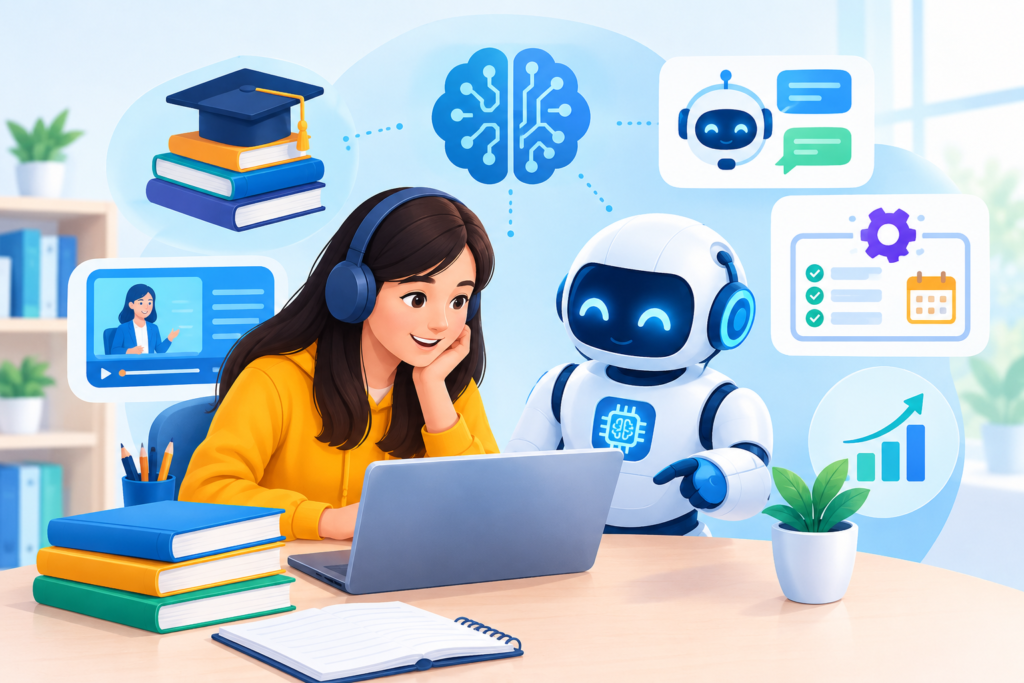
Discover how an education chatbot improves student engagement, automates admissions, supports personalized learning, and streamlines educational communication with AI-powered technology.
Introduction
Education is evolving as schools, colleges, universities, online learning platforms, and professional training providers adopt digital tools to make learning more accessible, responsive, and efficient. Students increasingly expect timely answers, flexible learning opportunities, personalized guidance, and convenient access to educational resources. At the same time, educators and administrative teams must manage admissions inquiries, enrollment procedures, assignment questions, course information, student support requests, and routine communications. An education chatbot can help institutions address these demands by providing automated conversations, delivering relevant information, and guiding learners through common educational tasks.
An education chatbot is a conversational software application that interacts with students, teachers, parents, applicants, and administrative staff through a website, messaging platform, learning portal, or other digital channel. Depending on its design, it may answer frequently asked questions, explain course requirements, recommend learning resources, assist with registration, remind students about deadlines, or direct users to the appropriate department. Modern AI-powered education chatbots can also interpret natural language, maintain conversational context, and provide responses based on approved institutional information. However, their effectiveness depends on reliable content, suitable technology, clear boundaries, and ongoing human oversight.
For institutions exploring this technology, the objective should not be to replace teachers or remove human interaction from education. Instead, conversational automation should make routine support easier to access while allowing educators to concentrate on instruction, mentoring, assessment, and student development. A carefully implemented solution can improve response times, reduce repetitive administrative work, and help learners navigate educational services more confidently. With EngagerBot, institutions can explore how chatbot technology fits into a broader digital engagement strategy. The following guide explains education chatbot applications, benefits, implementation methods, privacy considerations, practical examples, common mistakes, and best practices for building a useful and trustworthy educational experience.
What Is an Education Chatbot and How Does It Work?
An education chatbot is a digital assistant designed to communicate with learners and educational stakeholders through natural language. It can operate on a school website, university admissions portal, online course platform, student dashboard, or messaging application. Its primary purpose is to make educational information easier to access without requiring a person to answer every routine question manually. For example, a prospective student might ask about admission requirements, a parent might need the academic calendar, or an enrolled learner might want to know when an assignment is due. Instead of searching through multiple web pages, the user can ask a direct question and receive a relevant response. The chatbot’s capabilities depend on its underlying technology, information sources, and integrations.
Education chatbots generally use one or more approaches to understand and respond to messages. A rule-based chatbot follows predefined instructions, buttons, keywords, and conversation paths. It works well for structured tasks such as checking application deadlines or directing students to registration forms. An AI-powered chatbot can interpret a broader range of natural-language questions, identify user intent, and generate or retrieve appropriate responses. More advanced systems may use a language model combined with a curated institutional knowledge base, allowing them to answer questions using approved policies, course descriptions, learning materials, and frequently asked questions. These systems should distinguish verified information from uncertain answers rather than inventing academic rules or presenting guesses as facts.
A typical interaction begins when a user submits a question. The chatbot analyzes the message, identifies the likely intent, and searches its available information or follows an appropriate workflow. It then provides an answer, asks a clarifying question, or directs the user to a relevant resource. If the request requires a human decision, such as an admissions exception, a safeguarding concern, or a disputed grade, the chatbot should explain the next step and transfer the conversation to an appropriate staff member. A useful education chatbot therefore combines conversation design, reliable educational content, clearly defined permissions, and human escalation. It should be evaluated on whether it helps users complete real tasks accurately, not simply on how natural its responses sound.
Why Schools, Colleges, and Universities Need Education Chatbots
Educational institutions manage a continuous flow of questions from students, parents, applicants, instructors, and visitors. During admission periods, staff may receive repeated requests about eligibility, tuition, required documents, application progress, scholarships, and enrollment deadlines. Throughout the academic year, questions shift toward class schedules, examination arrangements, learning resources, technical problems, attendance procedures, and student services. When these inquiries arrive through telephone calls, emails, contact forms, and social media simultaneously, response times can increase. An education chatbot provides a consistent first point of contact for routine requests, helping users find approved information without waiting for an office to reopen or a staff member to become available.
Another important reason to introduce educational conversational automation is the growing diversity of learning needs. Some students study remotely, others attend classes on campus, and many combine education with employment or family responsibilities. A student who needs information outside conventional office hours may struggle to receive timely assistance. A chatbot can provide access to frequently requested information at any time, subject to the availability of its hosting service and connected systems. It can also guide users through multi-step processes, such as identifying a course, understanding entry requirements, finding the application form, and reviewing a submission checklist. These conveniences can reduce unnecessary friction, although they do not guarantee improved academic achievement or eliminate the need for accessible human support.
The strongest business case begins with identifying a specific operational problem. An institution receiving thousands of repetitive admissions questions may benefit more from an admissions assistant than from a chatbot designed to handle every possible educational interaction. A small tutoring provider may prioritize lesson scheduling and learner reminders, while an online learning platform may need help with account access, course navigation, and technical support. Decision-makers should estimate the volume of eligible inquiries, the staff time currently spent resolving them, the cost of implementing and maintaining automation, and the consequences of inaccurate answers. They should also consult educators, administrators, accessibility specialists, students, and families before deployment. A successful education chatbot is not simply a modern technology feature; it is a practical service improvement whose value can be measured through response quality, task completion, accessibility, and responsible use of resources.
Key Benefits of an Education Chatbot for Students and Educators
One of the most immediate benefits of an education chatbot is faster access to routine information. Students can ask about course prerequisites, assignment submission procedures, examination dates, campus facilities, and student support contacts without navigating several pages or waiting for an email response. Prospective learners can explore available programs and receive guidance on application steps. Parents can find approved information about calendars, school procedures, and communication channels. For educators and administrative teams, automating repetitive questions can free up time for tasks that require professional judgment, individual attention, or direct interaction. However, the benefit depends on the accuracy of the information provided. A chatbot that responds quickly but gives outdated deadlines or incorrect requirements can create more work than it removes.
A second benefit is consistency. When staff members answer the same question individually, differences in wording can sometimes cause confusion, particularly when institutional policies change. A chatbot connected to an approved, regularly maintained information source can deliver a standard answer and direct users to the relevant policy or official page. It can also collect basic details before routing a complicated request, helping support teams understand the problem more quickly. For instance, a technical support chatbot might ask which learning platform a student uses, what error appears, and whether the issue affects one course or the entire account. The system should collect only the information needed to handle the request and avoid requesting sensitive details in ordinary chat messages.
A third benefit is the opportunity to improve the learning experience through timely guidance. Depending on its design, a learning assistant can recommend revision resources, explain a concept at an introductory level, create practice questions, or help students organize their study tasks. Such assistance can encourage learners to seek clarification before a misunderstanding becomes a larger obstacle. Nevertheless, AI-generated explanations may contain mistakes, oversimplify complex topics, or fail to match the curriculum. Educators should review learning content, establish appropriate limits, and encourage students to verify important claims against approved materials. Institutions should also monitor whether the chatbot works effectively for learners with disabilities, different levels of digital literacy, and different language needs. The real measure of success is whether the chatbot improves access and support while preserving educational quality, student autonomy, and meaningful relationships with teachers.
Types of Education Chatbots and Their Practical Applications
Education chatbots can be categorized according to their main purpose, the users they serve, and the complexity of their workflows. Admissions chatbots help prospective students explore programs, understand entry criteria, review application requirements, and locate official enrollment forms. Student support chatbots answer routine questions about academic calendars, registration procedures, campus facilities, and institutional policies. Learning assistants provide educational explanations, revision prompts, quizzes, and guided practice within clearly defined boundaries. Learning management system assistants help students navigate online courses, locate resources, understand submission instructions, or troubleshoot common platform issues. These categories can overlap, but identifying the primary purpose makes it easier to define the chatbot’s knowledge requirements, access permissions, and performance measures.
Other specialized chatbots serve teachers, parents, academic advisors, and institutional administrators. A teacher-support assistant might locate approved lesson-planning resources, summarize internal procedures, or help organize frequently used instructional materials. A parent-facing chatbot may answer questions about school opening times, term dates, communication procedures, and available support services. Career guidance chatbots can help learners explore occupations, identify relevant qualifications, and locate career counseling resources. Library assistants can direct users toward catalogues, research databases, borrowing rules, and information literacy guides. For online education businesses, a course discovery chatbot can help visitors compare course formats, durations, prerequisites, and learning outcomes before they enroll. In each case, the assistant should provide guidance rather than make consequential decisions that belong to qualified staff.
The best type depends on the institution’s priorities and the level of risk associated with the requested task. A chatbot that answers public questions about campus opening hours has relatively simple requirements. A system that accesses student records, generates personalized academic recommendations, or interacts with assessment data needs much stricter controls. Institutions should consider whether the chatbot requires integration with a student information system, learning management system, scheduling platform, customer relationship management system, or payment service. They should also determine whether users need to authenticate themselves before accessing private information. Instead of launching a complex all-purpose assistant immediately, organizations can begin with one clearly defined use case and expand only after measuring its performance. This approach makes testing more manageable and helps establish the policies, feedback mechanisms, and staff responsibilities required for safe operation.
Education Chatbots for Admissions, Enrollment, and Student Recruitment
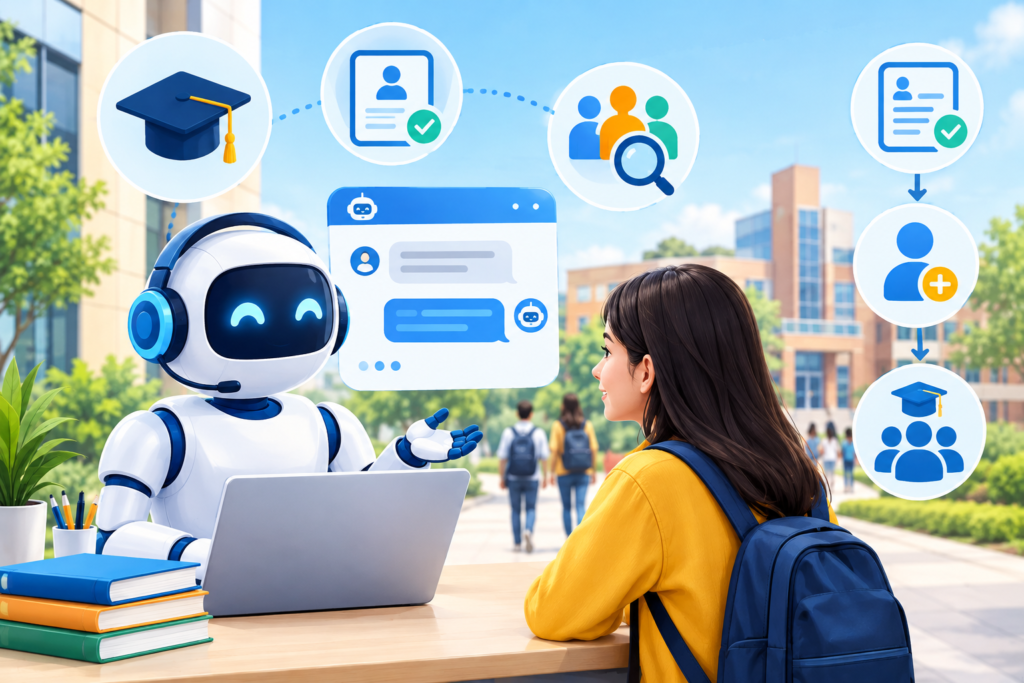
Admissions teams often deal with high inquiry volumes, particularly when application deadlines approach or new academic programs become available. Applicants may need to understand entry requirements, application stages, documentation, program availability, fees, and the process for contacting an admissions officer. An admissions chatbot can answer common questions using current, institution-approved information and guide prospective students toward the correct application pages. It can also help users distinguish between general eligibility information and a formal admissions decision. For example, a student asking whether a particular qualification meets the entry criteria should receive the published requirements and instructions for obtaining an official assessment, rather than an unsupported promise of acceptance.
A well-designed enrollment chatbot can guide applicants through a sequence of manageable steps. It might ask which level of study interests them, present relevant program categories, explain the documents typically required, and provide a checklist of the next actions. Where appropriate and authorized, it may connect to an application system to retrieve a status or direct the user to a secure portal. If a person needs help with a missing document, an unusual qualification, a fee waiver, or an application appeal, the chatbot should provide a clear route to the relevant staff member. It should not collect identity documents, financial details, or other sensitive information unless a secure, approved process specifically requires them. Private application information should not be exposed in an unauthenticated conversation.
To assess the effectiveness of an admissions assistant, institutions should track more than the number of conversations it handles. Useful measures include how many users find the required information, how often the chatbot gives a correct response, how many inquiries need human intervention, and whether users successfully reach the appropriate application page. Teams can also review recurring unanswered questions to identify gaps in program descriptions or admissions guidance. Any comparison of application completion rates should account for other factors, including changes in recruitment campaigns, program demand, and application deadlines. The chatbot should support fair access to information for all applicants, not pressure them into enrolling or make unsupported claims about career outcomes. When designed around transparency, accurate guidance, and accessible escalation, an admissions chatbot can reduce administrative friction while giving prospective students a clearer understanding of their options.
Personalized Learning, AI Tutors, and Student Engagement
An AI learning assistant can help students engage with educational material between classes by offering explanations, practice activities, revision prompts, and structured study guidance. For example, a learner studying introductory mathematics might ask for a step-by-step explanation of a concept, request a similar practice problem, and then compare their reasoning with a worked example. A student learning a new language might practise vocabulary through short conversations, while a science student might review key definitions before a lesson. These interactions can make learning resources easier to access and encourage students to ask questions they might otherwise postpone. However, the assistant should complement course instruction rather than present itself as a substitute for a qualified teacher.
Personalization can take several forms. A chatbot may adapt the difficulty of practice questions based on answers provided during the current session, suggest resources associated with a particular topic, or allow students to choose between a short explanation and a more detailed walkthrough. If an institution has approved the use of learner progress data, the system may provide more tailored recommendations within clearly explained privacy boundaries. Personalization does not automatically require collecting a detailed profile of every student. In many cases, students can choose their learning goal and preferred explanation style without sharing grades, disability information, or other sensitive details. The system should also avoid treating an incorrect answer as proof that a learner lacks ability. Mistakes are part of learning, and feedback should help students understand how to improve.
A responsible AI tutor should encourage active thinking rather than provide an answer to every task immediately. When a student asks for help with a problem, it can offer a hint, explain a relevant principle, or ask the learner to attempt the next step before showing a complete solution. For writing assignments, it can help clarify instructions, suggest ways to organize ideas, and explain grammar without misrepresenting the student’s work as independently produced. Institutions should establish clear rules for acceptable AI assistance, particularly for graded assignments, examinations, and research. Educators must also consider the possibility of fabricated facts, biased examples, and explanations that conflict with the approved curriculum. Guidance from UNESCO’s recommendations on generative AI in education and research emphasizes a human-centered approach to educational AI, including privacy protection and appropriate pedagogical design. The goal is to build student confidence, understanding, and independence—not dependence on automated answers.
How Education Chatbots Improve Administrative Efficiency
Educational administration includes many repetitive tasks that follow predictable procedures. Staff members answer questions about registration, attendance rules, timetables, fee payment procedures, course access, document submission, and office hours. A chatbot can provide approved answers to these questions, guide users through the correct forms, and explain what information they should prepare before contacting a department. For example, instead of sending multiple emails to determine how to request a transcript, a student could receive the official procedure, any published eligibility conditions, the relevant submission page, and information about whom to contact if the process does not work. This reduces unnecessary navigation and gives staff a consistent way to direct routine requests.
Administrative automation can also help organize incoming inquiries. A chatbot can identify whether a request concerns admissions, technical support, finance, academic advising, or student welfare and route it to the appropriate team. Before transferring a conversation, it may ask the user to describe the issue and select a relevant category. If the organization permits it, the system can create a support ticket containing the minimum necessary information, allowing staff to review the request without requiring the student to explain everything again. Institutions should make the transfer process visible and avoid suggesting that a ticket has been created unless the relevant integration confirms success. Where response times vary, the chatbot should provide realistic expectations based on published service standards rather than inventing a resolution time.
Efficiency improvements should be measured carefully. An institution might compare the average time required to resolve common inquiries before and after implementation, while also monitoring response accuracy, user satisfaction, unresolved cases, and staff workload. A decline in email volume is not automatically evidence of success if students are abandoning conversations or repeatedly contacting other departments because answers are incomplete. Similarly, an increase in automated interactions does not necessarily mean that the chatbot is solving more problems. Staff should review failed conversations, test the most common workflows, and update information when policies or academic calendars change. Administrative automation is most valuable when it removes unnecessary repetition without making the institution harder to reach. A reliable chatbot should always preserve a clear path to human assistance, especially when an inquiry involves an exception, a complaint, a complex decision, or a student’s well-being.
Integrating an Education Chatbot With Learning Management Systems
A learning management system (LMS) provides a central environment where students access course materials, submit assignments, participate in discussions, and review learning activities. Integrating an education chatbot with an LMS can make these activities easier to navigate by allowing students to ask questions about course locations, submission instructions, lesson resources, and technical procedures. For example, a learner who cannot find a recorded lecture could ask the chatbot where the relevant resource is located. The assistant might provide navigation instructions or, if the integration supports authorized access, direct the student to the correct course resource. The exact capabilities depend on the LMS, available application programming interfaces (APIs), authentication arrangements, and institutional policies. A chatbot should never claim to access a course, assignment, or student record unless that capability has been implemented and tested.
Before selecting an integration method, institutions should identify which tasks the chatbot must support and which data it needs to access. A public-facing assistant that answers general questions about online learning may not require access to individual student accounts. By contrast, an authenticated assistant that retrieves assignment deadlines or course enrollment information may need permission to read selected records. Developers should apply the principle of least privilege, giving the chatbot only the access necessary for its approved functions. Authentication should be handled through established secure mechanisms, and sensitive information should not be placed in ordinary chat messages, unsecured logs, or public knowledge sources. Institutions should also review the vendor’s data handling practices, integration documentation, access controls, and support arrangements before connecting the chatbot to existing educational systems.
Testing is essential because even a technically successful integration can produce a poor student experience. The team should verify that links open the correct course, deadlines display the correct time zone, permissions prevent unauthorized access, and unavailable resources generate understandable explanations. It should test common situations such as expired sessions, withdrawn students, changed course dates, incomplete records, and temporary system outages. The 1EdTech Consortium publishes education technology interoperability standards that institutions can investigate when planning integrations across learning platforms and educational applications. Where suitable standards or APIs are available, they may reduce the need for fragile custom connections. A phased rollout, beginning with a limited set of low-risk functions, helps institutions identify problems before extending the chatbot to more sensitive workflows. The aim is to create a reliable connection between conversational assistance and the learning environment without compromising privacy, accuracy, or accessibility.
Designing an Effective Education Chatbot Conversation
Conversation design determines whether an education chatbot feels useful or frustrating. Students usually approach a chatbot with a specific need: finding a deadline, understanding an instruction, checking a procedure, or locating a support service. The opening message should explain what the assistant can help with and provide a few relevant examples. Rather than presenting a long list of every possible feature, the chatbot can offer clear categories such as admissions, courses, technical support, student services, and general questions. Users should also be able to type their own questions without being forced through unnecessary menus. A good conversation flow minimizes effort, uses familiar language, and allows people to correct misunderstandings without restarting the entire interaction.
The chatbot should ask clarifying questions when a request could have several meanings. If a student asks, “When is the exam?”, the assistant may need to know the course, examination type, or academic term before giving an answer. It should request only the information necessary to resolve the ambiguity. When a question falls outside its knowledge, the chatbot should say so clearly and offer a relevant next step, such as an official timetable or contact with the examination office. Responses should distinguish published facts from general suggestions and avoid promising outcomes that require a human decision. For example, an assistant may explain the published process for requesting an extension, but it should not imply that the extension has been approved unless an authorized system confirms that decision.
An effective conversational interface must also work for users with different abilities, devices, and levels of digital confidence. Messages should be readable, buttons should have clear labels, and users should not have to rely on color alone to understand available choices. Keyboard navigation, screen-reader compatibility, understandable error messages, and responsive layouts are important considerations. The W3C Web Content Accessibility Guidelines provide a recognized framework for improving the accessibility of web content and interfaces. Institutions should test the chatbot with representative users rather than assume that an interface is accessible because it works on a desktop computer. They should also make it easy to reach a human representative and preserve essential information when transferring a conversation, subject to privacy requirements. A well-designed education chatbot is measured by how effectively it helps a person complete a task, not by the length or sophistication of its conversation.
Privacy, Security, and Responsible AI in Education Chatbots
Education chatbots can process information ranging from public course descriptions to sensitive details about individual learners. Depending on the implementation, conversations might contain names, contact details, academic records, disability-related information, financial questions, or disclosures about personal difficulties. Institutions should therefore determine what information the chatbot genuinely needs, what it must never request, how long information is retained, and which people or systems can access it. Students should receive an understandable privacy notice explaining the purpose of data collection, relevant processing arrangements, and available contact points for privacy questions. The organization should also assess applicable legal requirements, which may differ by country, institution type, student age, and category of data.
Security measures should be built into the system rather than added after deployment. Recommended controls include secure communication, appropriate authentication, role-based access permissions, protected credentials, controlled integrations, and a documented process for investigating suspected incidents. Institutions should review whether chatbot providers use submitted data for model training, how third-party subprocessors handle information, and whether contractual terms meet organizational requirements. Testing should include attempts to access another student’s information, extract confidential instructions, manipulate the chatbot into ignoring its restrictions, and expose sensitive data through logs or generated responses. AI systems connected to institutional databases should not receive unrestricted access simply because they can answer natural-language questions. The National Institute of Standards and Technology AI Risk Management Framework offers a useful structure for identifying, assessing, and managing risks associated with AI systems.
Responsible use also requires safeguards against inaccurate, unfair, or harmful responses. A chatbot may misunderstand a student’s question, produce incorrect information, reflect bias in its training data, or provide advice that is inappropriate for the learner’s circumstances. Institutions should test representative scenarios, review failures, establish escalation procedures, and clearly explain that AI-generated responses may need verification. For younger students, additional protections may be necessary, including age-appropriate design, parental or guardian involvement where legally required, and restrictions on sensitive interactions. The U.S. Department of Education’s Office of Educational Technology provides resources concerning AI in education and the importance of human-centered implementation. Institutions operating internationally should separately review the laws that apply to their students and data. Privacy and responsible AI practices are not merely compliance tasks; they are essential to maintaining confidence in digital educational support.
Choosing the Right Education Chatbot Platform and Features
Selecting an education chatbot platform begins with the needs of the institution rather than the number of features advertised by a vendor. A school may need a simple assistant for calendars, admissions questions, and parent communication, while a university may require integration with multiple learning systems and departmental workflows. An online learning business may prioritize course discovery, enrollment support, and customer service. Before comparing providers, decision-makers should document the main user groups, expected conversation volume, required channels, essential integrations, privacy requirements, accessibility expectations, and available budget. This initial assessment helps distinguish essential capabilities from optional features that could increase costs without solving a meaningful problem.
Important capabilities may include a visual conversation builder, natural-language understanding, a searchable knowledge base, multilingual support, live-agent handoff, analytics, and integration with approved institutional systems. Organizations should determine whether answers can be restricted to trusted sources, whether citations or source references can be displayed, and whether administrators can identify outdated content. Other practical questions concern version control, user permissions, export options, uptime commitments, support availability, and the ability to test changes before publication. Pricing should be evaluated beyond the initial subscription. Setup, integration development, content preparation, staff training, usage charges, ongoing maintenance, and security reviews can all affect the total cost of ownership.
A structured evaluation process is more reliable than choosing a platform based on a demonstration alone. Prepare a representative test set containing common questions, ambiguous requests, outdated information, unsupported topics, privacy-sensitive scenarios, and attempts to bypass restrictions. Run the same tests across shortlisted solutions and compare answer accuracy, source reliability, accessibility, ease of administration, and escalation quality. Ask vendors to explain how the product handles data retention, model updates, security incidents, and integration permissions. Where possible, run a pilot with a small group of users and collect feedback from students and staff. Institutions should also confirm that they can update or remove information promptly when a policy changes. The best education chatbot platform is one that meets the institution’s real requirements, provides transparent controls, and can be maintained responsibly over time. A smaller, dependable system may deliver more value than an expensive platform whose advanced features are difficult to govern.
Measuring Education Chatbot Performance and Return on Investment
Performance measurement helps institutions determine whether an education chatbot is improving educational support or simply generating more conversations. Before launch, the team should record a baseline for the selected workflow. For example, an admissions department might measure average response time, inquiry volume, time spent answering repetitive questions, and the percentage of applicants who find the correct application information. A student support team could measure first-response time, successful resolution, repeat contacts, and user satisfaction. Once the chatbot is introduced, the same measures can be tracked over time to identify improvements and unexpected problems. Comparing equivalent periods and accounting for seasonal changes is important because admission deadlines, examination periods, and academic holidays can substantially alter inquiry volume.
Useful chatbot metrics include answer accuracy, task completion rate, escalation rate, unresolved question rate, user satisfaction, and the percentage of conversations abandoned before resolution. Institutions can also measure how frequently the chatbot retrieves an appropriate source and how often users need to repeat information after a handoff. These indicators should be interpreted together. A low escalation rate may appear efficient, but it could indicate that the chatbot is failing to offer human assistance when needed. Likewise, a high conversation completion rate may be misleading if users receive incomplete answers or abandon the process after obtaining a confusing response. Periodic reviews of conversation samples, user feedback, and recurring failure patterns provide important context that numerical dashboards alone cannot supply.
Return on investment (ROI) should account for both financial and nonfinancial outcomes. A basic financial estimate can compare the value of staff time saved and other measurable operational benefits with the total costs of implementation, licensing, integration, training, evaluation, and maintenance. For example, if a chatbot reduces repetitive work, the institution should estimate the actual time released and whether that time is redirected toward higher-value activities. It should avoid treating every automated conversation as a cash saving when staffing costs have not changed. Nonfinancial benefits may include more consistent information, improved access outside office hours, and reduced frustration for students. These should be assessed through appropriate surveys and service measures. Establishing clear success criteria before deployment helps prevent exaggerated claims and makes it easier to decide whether to expand, modify, or discontinue a chatbot. Continuous measurement should focus on meaningful user outcomes and responsible service delivery rather than vanity metrics.
Implementing an Education Chatbot: A Step-by-Step Roadmap
The first implementation step is to identify one specific problem and define the people affected by it. An institution might choose admissions inquiries, course navigation, timetable questions, or routine technical support. The project team should document the most common questions, the current process for answering them, the official sources that contain the correct information, and the situations that require human judgment. Representatives from teaching, administration, IT, privacy, accessibility, and student support should contribute to this assessment. The team should then establish measurable objectives, such as improving access to accurate information or reducing the time spent handling repetitive inquiries. Starting with a manageable use case makes it easier to test the system and demonstrate whether it creates practical value.
The second step is to select the platform, prepare the knowledge base, and design the conversation flows. Content should come from authoritative institutional sources, such as current policies, approved course descriptions, official calendars, and documented support procedures. Each source should have an owner responsible for reviewing it when information changes. The chatbot should be configured to answer only within its intended scope, provide references when appropriate, and acknowledge uncertainty. Next, the team should connect any required systems using secure, documented methods and the minimum necessary permissions. Before launch, test the system using realistic questions, confusing wording, incorrect assumptions, outdated documents, unauthorized access attempts, and requests for human help. The team should also check mobile usability, keyboard navigation, screen-reader compatibility, and the clarity of privacy notices.
The third step is a controlled pilot followed by ongoing evaluation. Launch the chatbot to a limited group or for a specific department, and make clear that human support remains available. Monitor answer quality, task completion, user feedback, escalation handling, and technical failures. Establish a process for reporting inaccurate responses and correcting the underlying content or configuration. Staff should receive training on what the chatbot can do, what it cannot do, and how to handle conversations transferred from the automated system. After the pilot, compare results with the original baseline and ask whether the benefits justify the costs and risks. Expand to additional workflows only when the current version performs reliably. This staged approach allows the institution to learn from actual use without exposing every student or department to an untested system. Successful implementation is an ongoing operational process, not a one-time software installation.
Common Mistakes to Avoid When Building an Education Chatbot
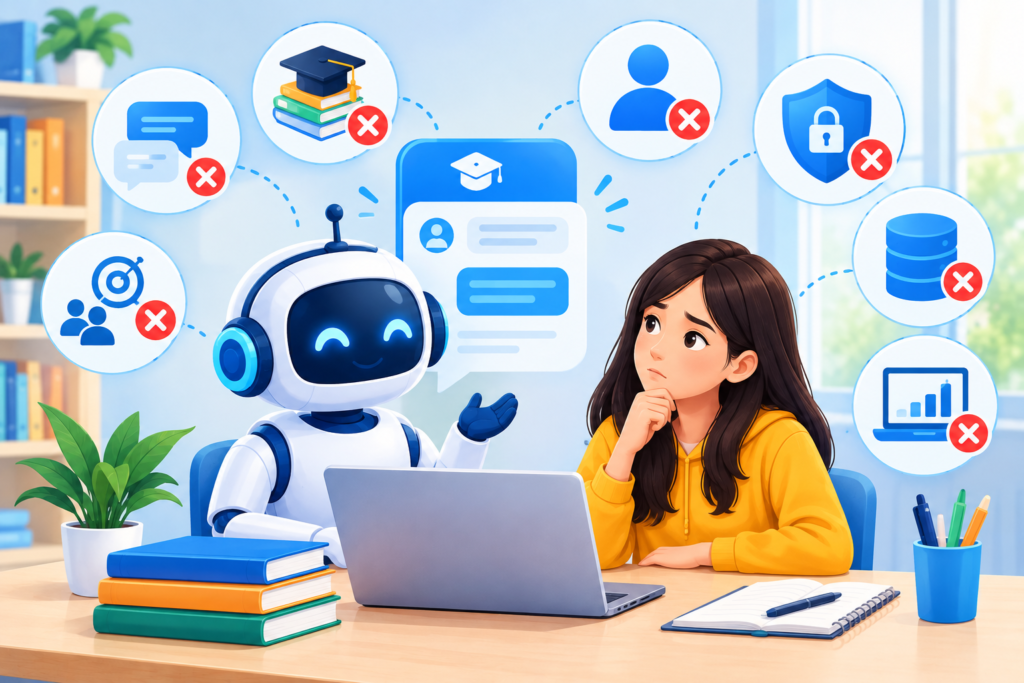
One frequent mistake is trying to automate every educational process from the beginning. An all-purpose chatbot may be expected to handle admissions, academic advising, payments, attendance, technical support, student welfare, and personalized tutoring before the institution has established reliable content or testing procedures. This creates a complicated system that is difficult to maintain and evaluate. A better approach is to choose a high-volume, low-risk use case and expand gradually. Institutions should also avoid building a knowledge base from outdated web pages, unapproved documents, or conflicting policy versions. Even a sophisticated AI model cannot consistently provide trustworthy institutional guidance when the underlying information is inaccurate. Content ownership, review schedules, and clear source priorities should be established before deployment.
A second mistake is assuming that natural-sounding AI responses are necessarily correct. A chatbot can confidently generate an incorrect deadline, invent a scholarship condition, misinterpret an assignment instruction, or give misleading advice about an academic policy. These failures can damage trust and create real administrative consequences. Institutions should test factual accuracy, require grounding in approved sources where appropriate, and configure the system to admit uncertainty. High-impact decisions should remain with authorized people, and users should have an easy way to request clarification. Another common mistake is ignoring privacy and security until the system is already in use. Connecting a chatbot to student records without appropriate authentication, granting excessive permissions, or retaining conversation data indefinitely can create avoidable risks. Privacy review, access control, and security testing should be part of the initial design.
A third mistake is neglecting the human experience after launch. A chatbot that traps students in repetitive menus, provides no clear escalation route, or fails to explain what happens next may increase frustration rather than reduce it. Similarly, a system that has not been tested with people using assistive technologies may create barriers for students who need accessible interactions. Institutions should also avoid judging success solely by the number of conversations, because high usage does not prove that questions are resolved accurately. Establish meaningful performance measures, examine unsuccessful interactions, and give students and staff ways to report problems. Finally, do not assume that the chatbot will maintain itself. Course information changes, links expire, policies are revised, and integrations can fail. A named owner, regular content reviews, documented incident procedures, and periodic reassessment are essential. Avoiding these mistakes helps ensure that automation supports the educational mission instead of introducing a new layer of confusion.
Best Practices Summary for Education Chatbot Success
A successful education chatbot begins with a clearly defined purpose, a specific user need, and measurable objectives. Institutions should identify whether the assistant is intended to support admissions, student services, course navigation, learning activities, or another defined workflow. They should map the questions users commonly ask and identify which sources provide authoritative answers. A focused design is easier to test, maintain, and improve than an unrestricted assistant expected to solve every problem. The chatbot should explain its capabilities, avoid claiming access to unavailable information, and provide a clear route to a human representative. Its design should support learners rather than force them to adapt to an unnecessarily complicated process.
Content quality, privacy, accessibility, and security must remain central throughout development and operation. The knowledge base should use current, approved information, and each important source should have a designated owner. AI-generated responses should be evaluated for factual accuracy, bias, inappropriate assumptions, and consistency with institutional policies. Integrations should use appropriate authentication and limited permissions, while data collection and retention should be restricted to legitimate needs. Students should understand when they are interacting with AI and how to seek human help. Institutions should also assess accessibility, including keyboard navigation, screen-reader support, understandable language, and compatibility with mobile devices. Where children or other vulnerable users may be involved, additional safeguards and applicable legal requirements should be addressed before deployment.
Finally, institutions should treat education chatbot development as a continuous improvement process. Establish baseline measures, run realistic tests, launch in stages, and regularly evaluate whether the system resolves the intended problems. Useful measures include response accuracy, task completion, user satisfaction, escalation quality, unresolved inquiries, and maintenance costs. Review unsuccessful conversations to identify missing information and confusing workflows, then make controlled improvements. Train staff to work effectively with the chatbot and clarify which decisions require professional judgment. Consult students and educators when deciding whether to expand its capabilities. The most effective educational chatbot is not necessarily the one with the largest feature set or the most human-like language. It is the one that delivers dependable information, protects users, improves access, supports learning, and remains accountable to the people it serves.
Frequently Asked Questions
1. What is an education chatbot?
An education chatbot is a conversational digital assistant that helps students, teachers, parents, applicants, and educational administrators obtain information or complete routine tasks. It can answer frequently asked questions, guide users through admissions procedures, locate course resources, explain administrative processes, and provide learning support. Some chatbots use predefined rules, while others use artificial intelligence to interpret natural-language questions. Their capabilities depend on the platform, approved information sources, and available integrations. An education chatbot should complement educators and administrative staff rather than replace professional judgment or personal support.
2. How can an education chatbot improve student engagement?
An education chatbot can make educational information easier to access by allowing students to ask questions in a conversational format. It may provide study reminders, explain course navigation, recommend approved revision materials, and offer practice questions. When learners can obtain clarification promptly, they may be more willing to seek help with confusing topics. However, engagement depends on the relevance and quality of the interaction. Institutions should measure whether students find the assistant useful and whether it helps them complete meaningful tasks, rather than assuming that frequent chatbot use automatically improves learning outcomes.
3. Can an education chatbot support online learning platforms?
Yes. An education chatbot can support online learning by helping users locate lessons, understand course instructions, find technical support, and navigate learning management systems. Depending on the available integration, it may also retrieve authorized information about course schedules or assignment deadlines. Before connecting a chatbot to an LMS, institutions should assess authentication, data permissions, compatibility, and security requirements. The system should be tested against realistic student questions and should not expose private course records to unauthorized users. A carefully scoped integration can make online learning environments easier to navigate without changing the underlying teaching and assessment responsibilities.
4. Are education chatbots suitable for schools and universities?
Education chatbots can be useful in schools, colleges, universities, tutoring centers, and online education businesses. Schools may prioritize parent communication, calendars, and routine student support, while universities may focus on admissions, program information, campus services, and course navigation. Tutoring providers may use chatbots to explain scheduling procedures or direct learners toward appropriate resources. The right design depends on student age, institutional requirements, available resources, and the sensitivity of the information involved. Institutions serving younger students should pay particular attention to age-appropriate interactions, privacy protections, safeguarding procedures, and applicable legal obligations.
5. Can an education chatbot provide personalized learning assistance?
Yes, depending on its design. A learning chatbot may adapt practice questions, provide different levels of explanation, offer revision prompts, or recommend resources based on a student’s stated learning goal. More advanced personalization may use approved learning data, but such access should be carefully justified and governed. AI-generated explanations can contain errors, so students should be encouraged to verify important information against course materials and teacher guidance. The chatbot should support active learning by offering hints, asking guiding questions, and explaining reasoning rather than always supplying complete answers. It should not make unsupported judgments about a student’s ability or potential.
6. How much does it cost to implement an education chatbot?
The cost depends on the platform, expected usage, complexity of the conversation flows, integrations, security requirements, and ongoing maintenance. A basic chatbot that answers questions from a small approved knowledge base may require fewer resources than an AI assistant connected to student records and multiple educational systems. Expenses can include subscriptions, development, content preparation, staff training, testing, privacy assessments, and technical support. Institutions should request transparent pricing and calculate the total cost of ownership rather than comparing subscription fees alone. A limited pilot can help estimate actual demand and determine whether the expected benefits justify the investment.
7. How can institutions keep education chatbots accurate and secure?
Institutions should use current, approved information sources and assign responsibility for reviewing them regularly. They should test the chatbot with common questions, ambiguous requests, outdated information, and attempts to obtain unauthorized data. Security measures should include appropriate authentication, limited permissions, secure integrations, and documented incident procedures. Organizations should also understand how vendors store and process conversations and whether submitted information is used for model training. To improve accuracy, the chatbot should cite authoritative sources when appropriate, acknowledge uncertainty, and escalate sensitive or consequential questions to qualified staff. Ongoing monitoring is essential because both educational content and technology systems change over time.
8. Can an education chatbot replace teachers or academic advisors?
No. An education chatbot can help with routine explanations, practice activities, navigation, and administrative questions, but it cannot fully replace the professional knowledge, relationships, contextual understanding, and responsibilities of teachers or academic advisors. Educators make judgments about student progress, instructional needs, assessment, and classroom dynamics that require human expertise. Academic advisors may need to consider complex personal circumstances, institutional rules, and individual goals. The chatbot should be positioned as a supporting tool that helps users access information and prepare questions for human professionals. Institutions should preserve direct access to educators and advisors, particularly when decisions have significant academic or personal consequences.
Common Mistakes to Avoid When Building an Education Chatbot
Educational organizations should watch for these practical implementation errors:
- Launching without a defined purpose: Trying to automate every department at once makes testing and maintenance unnecessarily difficult.
- Using outdated information: Old calendars, superseded policies, and expired links can produce misleading answers.
- Trusting every AI response: Natural-sounding answers may still contain factual errors or unsupported claims.
- Ignoring student privacy: Collecting unnecessary personal information or granting excessive system permissions creates avoidable risks.
- Removing human support: Students must be able to reach an appropriate person when automation is insufficient.
- Overlooking accessibility: An interface that works only with a mouse or is difficult for screen readers can exclude learners.
- Measuring conversations instead of outcomes: High usage does not prove that the chatbot resolves questions accurately.
- Skipping staff training: Employees need to understand the chatbot’s capabilities, limitations, and escalation procedures.
- Failing to test integrations: Incorrect deadlines, broken links, and unauthorized data access can undermine confidence.
- Neglecting maintenance: Knowledge bases, policies, integrations, and security controls need ongoing review.
The most effective prevention strategy is to combine clear ownership, realistic testing, responsible data practices, user feedback, and continuous evaluation.
Best Practices Summary for Education Chatbot Implementation
Use this checklist when planning, launching, or improving an educational chatbot.
Implementation checklist
0 of 9 complete
Define one primary use case
Choose a specific problem, audience, and measurable objective before expanding the chatbot’s scope.
Use approved educational content
Build answers from current institutional policies, course information, official calendars, and verified support documentation.
Set clear AI boundaries
Configure the assistant to acknowledge uncertainty, avoid unsupported claims, and escalate consequential questions.
Protect student information
Limit data collection, restrict access, review vendor practices, and follow applicable privacy requirements.
Design for accessibility
Test keyboard navigation, screen-reader compatibility, mobile layouts, readable language, and clear interaction controls.
Integrate systems securely
Use documented APIs, appropriate authentication, limited permissions, and realistic integration tests.
Keep human support available
Provide an understandable route to staff for complex questions, complaints, exceptions, and sensitive matters.
Measure meaningful outcomes
Monitor accuracy, successful task completion, user satisfaction, unresolved inquiries, and total operating costs.
Review and improve regularly
Assign content owners, investigate failures, gather user feedback, and retest after major changes.
Reset checklist
Conclusion
Education chatbots offer schools, colleges, universities, and online learning providers a practical way to improve access to information, streamline routine administration, and support learners across digital channels. From admissions guidance and course navigation to learning assistance and student support, the technology can reduce unnecessary friction when it is designed around real user needs. However, successful implementation requires more than choosing an AI platform. Institutions must provide accurate content, protect student information, establish appropriate boundaries, test integrations, maintain accessibility, and ensure that people can reach qualified staff when a situation requires human judgment.
A sustainable approach begins with one well-defined use case, followed by a controlled pilot and measurable evaluation. Institutions should track response accuracy, successful task completion, user satisfaction, unresolved questions, and maintenance costs. They should also review how the chatbot performs for different student groups and update it as courses, policies, and technologies change. By treating the chatbot as an ongoing educational service rather than a one-time software purchase, organizations can identify meaningful improvements and manage risks more effectively.
For institutions exploring conversational automation, EngagerBot provides a starting point for considering how chatbot technology can fit into a digital engagement strategy. The priority should remain clear: help learners find reliable information, make educational services easier to navigate, and give educators more opportunity to focus on teaching and student development. When technology is implemented thoughtfully, an education chatbot can become a useful part of a broader, human-centered learning environment.
Want to Implement This Easily?
AI Implementation Prompt
You are an expert consultant. Based on the blog post titled “(Education Chatbot)”, provide a step-by-step, practical implementation guide. Include tools, best practices, common mistakes to avoid, and advanced tips. Assume the reader wants to implement everything discussed in this article effectively.
Call to Action
Want our help implementing this? Just reach out to us via our website contact form: Contact us.