
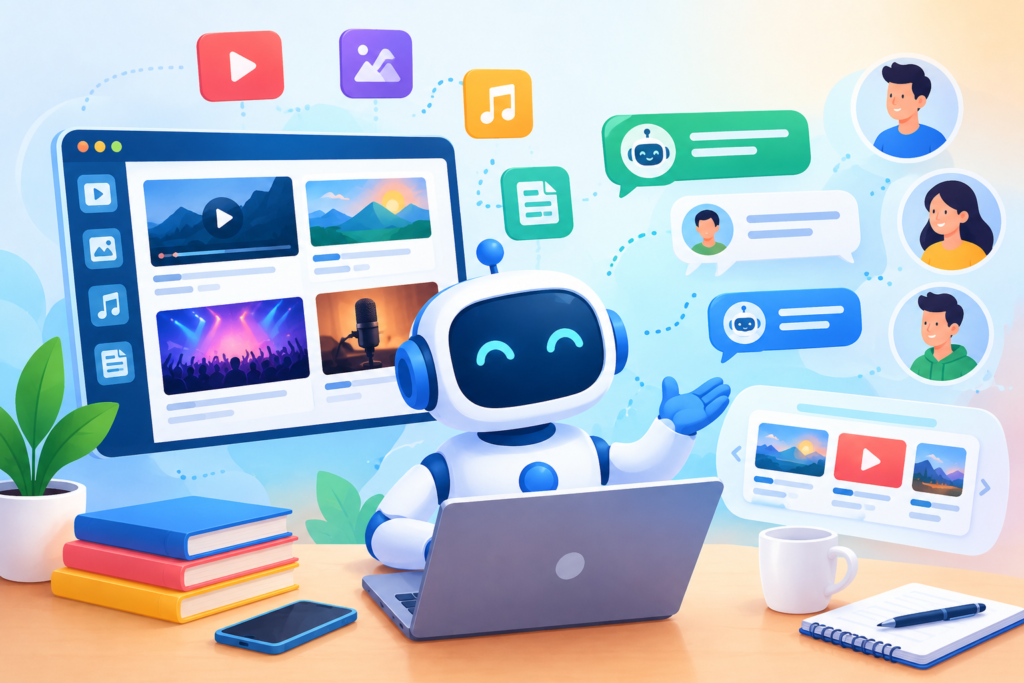
Learn how a Media Chatbot can improve audience engagement, content discovery, customer support, personalization, and media workflows while creating a more useful and trustworthy digital experience.
Introduction
The media industry has entered an environment where audiences expect information to be available quickly, clearly, and conveniently. Readers want to discover relevant stories without navigating complicated menus. Viewers want to find programs, episodes, and videos without searching through numerous pages. Podcast listeners want to locate specific subjects or guests quickly. Subscribers want immediate answers about accounts, plans, access, and content availability. At the same time, media organizations must manage increasingly large content libraries across websites, mobile experiences, streaming platforms, social channels, newsletters, and other digital touchpoints.
A Media Chatbot provides a conversational way to address many of these expectations. Instead of requiring every visitor to understand a website’s navigation structure, a chatbot can allow people to describe what they need in natural language. A visitor might ask for the latest articles about a particular subject, search for an interview, locate a podcast episode, find a television program, understand a subscription option, or request help with accessing digital content. The chatbot can interpret the request and guide the user toward the appropriate information or destination.
However, an effective Media Chatbot is more than an automated question-and-answer widget. Its success depends on the quality of the underlying information, the accuracy of its responses, the clarity of its conversation design, the reliability of its integrations, and the organization’s approach to privacy and governance. It must know what it can answer, where its information comes from, and when a human should become involved.
This distinction is particularly important for media organizations because audiences often depend on them for timely and accurate information. A chatbot should therefore complement existing editorial, publishing, marketing, and support processes rather than creating an uncontrolled source of information. The strongest implementations combine conversational convenience with carefully managed content and clear operational boundaries.
For organizations developing their broader search strategy, Google Search Essentials provides fundamental guidance around technical requirements, spam policies, and key best practices for appearing in Google Search. Google Search Essentials
For organizations seeking to create a more interactive digital communication experience, Engagerbot can support the development of conversational experiences that help businesses communicate with their audiences more efficiently.
What Is a Media Chatbot and How Does It Work?
A Media Chatbot is an AI-powered conversational system designed to help people interact with media-related information through natural-language conversations. Rather than forcing visitors to browse through multiple categories, menus, filters, or search results, the chatbot provides another route to information. Users can ask questions using their own words, and the system attempts to identify the purpose behind the request before producing an appropriate response.
The basic process normally involves several stages. First, a visitor enters a question or request. The chatbot analyzes the message to determine the user’s intent and identify important information such as topics, names, dates, programs, publications, or content types. It then retrieves relevant information from an approved knowledge source or connected system. Finally, it presents the result in a conversational format. Depending on the implementation, the response may include a direct explanation, a recommendation, a link to relevant content, a set of options, or an escalation to a human representative.
More sophisticated systems can connect with content management systems, media libraries, subscription platforms, customer-support software, databases, analytics systems, and other business tools. This can transform a chatbot from a simple FAQ assistant into a conversational access layer for a larger digital ecosystem. However, every additional integration introduces responsibilities around permissions, security, data quality, availability, and maintenance.
A reliable Media Chatbot must also understand its limitations. It should not invent a program schedule simply because the user expects an answer. It should not fabricate an article title that does not exist. It should not provide unsupported claims merely to keep a conversation moving. When reliable information is unavailable, the chatbot should communicate that limitation and provide an appropriate alternative. This combination of natural-language interaction, controlled information retrieval, and responsible fallback behavior is what separates a useful media assistant from a basic automated script.
Why Media Organizations Are Adopting Conversational Experiences
Audience behavior has become increasingly conversational. People regularly use natural-language questions when searching for information, especially when they are uncertain about the exact title, category, or terminology associated with what they want. A visitor may remember that an interview involved a particular subject but not remember the guest’s name. Another person may remember approximately when a program aired but not its exact title. A podcast listener may remember a discussion topic rather than the episode number.
Traditional search can still be valuable in these situations, but conversational interfaces offer an additional discovery mechanism. A user can explain the request in ordinary language, and the chatbot can ask a clarifying question when necessary. Instead of making the visitor understand the organization’s internal content structure, the conversational experience can adapt to the user’s description of the problem.
This can be particularly useful for organizations with extensive archives. Digital publishers may have thousands of articles. Podcast networks may have years of episodes. Video platforms may contain large collections of interviews, documentaries, tutorials, programs, and clips. Broadcasters may maintain schedules and archives across multiple channels. Without effective discovery mechanisms, valuable content can remain difficult to find even when it is technically available.
There is also an operational advantage. Media businesses receive recurring questions about subscriptions, account access, content availability, schedules, program information, contact details, and general support. A chatbot can handle suitable routine requests while directing more complicated matters to the correct team. This creates a hybrid support model in which automation handles predictable information requests while human professionals manage situations requiring investigation, editorial judgment, discretion, or specialized expertise.
The objective should not be to automate every conversation. The objective should be to make the overall audience journey more efficient. A well-designed chatbot can reduce unnecessary friction while preserving human involvement where it provides greater value.
Key Media Chatbot Use Cases Across the Industry
The applications of conversational AI in media are broad because media organizations operate across different content formats and audience journeys. A digital publisher can use a chatbot to help readers discover articles based on topics, authors, categories, or recent coverage. A podcast company can help listeners locate episodes based on guests, subjects, themes, or publication periods. A streaming service can provide guidance around available programs, content categories, and basic viewing information.
Broadcast organizations can use conversational systems to answer questions about channels, programs, presenters, schedules, and available content. Entertainment businesses can create interactive discovery experiences where users describe their interests and receive relevant suggestions from an approved catalog. Magazine publishers can help visitors locate specific articles, sections, or subscription information. News organizations can use conversational interfaces to direct readers toward relevant reporting, archives, explainers, and topic pages while maintaining appropriate editorial boundaries.
Media chatbots can also support commercial journeys. Visitors may ask about subscription plans, membership benefits, advertising opportunities, event information, sponsorship inquiries, or account access. The chatbot can explain publicly available information and direct qualified requests to the appropriate business team. For example, a visitor interested in advertising could receive an overview of available options before being directed to a sales or partnership contact.
Internal use cases can be equally valuable. Editorial and production teams may need to locate internal documentation, workflow instructions, content records, publishing guidelines, or production information. Customer-support teams may use conversational tools to locate approved answers more quickly. Marketing teams may analyze common audience questions to identify content gaps or opportunities.
The strongest use cases share one characteristic: they solve a clearly identified information or communication problem. A chatbot should not be introduced merely because conversational AI is popular. The organization should first determine what audiences struggle to find, which questions consume staff time, which information is suitable for automation, and where human assistance remains necessary.
Designing a Media Chatbot Around Audience Intent
Effective conversational design begins with user intent, not technology. The first question should be: what is the visitor trying to accomplish? Once the organization understands the desired outcome, it can design a conversation that guides the user toward that outcome with as few unnecessary steps as possible.
For example, a visitor might type, “Where can I find the interview with the technology CEO from last week?” Another user could write, “Do you have the recent interview about artificial intelligence?” A third might simply type, “AI CEO interview.” Although the wording differs, these messages may represent related content-discovery intent. A chatbot designed around intent can recognize the relationship and ask a focused follow-up question if more information is required.
Media organizations should map their major audience journeys before creating detailed chatbot flows. Common categories may include content discovery, article search, video discovery, podcast discovery, program schedules, subscription assistance, account support, technical support, contact requests, feedback, and business inquiries. Each category should have clear entry points, logical follow-up questions, appropriate responses, and defined escalation conditions.
The chatbot should also be designed for unsuccessful interactions. If it does not understand a request, repeating “I did not understand” several times creates frustration. A better fallback might explain what the chatbot can help with and provide several useful choices. If the system cannot answer a specialized question, it should make the next step obvious.
Good conversational design also avoids excessive questioning. If the user has already provided enough information, the chatbot should not ask for the same details again. Every additional question adds friction. The best conversation is therefore not necessarily the longest or most sophisticated one. It is the one that gets the visitor to the desired destination efficiently while maintaining clarity and trust.
Building a Reliable Media Knowledge Base
The quality of a Media Chatbot depends heavily on the quality of its knowledge base. If the information supplied to the system is outdated, contradictory, incomplete, or poorly organized, the chatbot can produce responses that are technically fluent but practically unhelpful. This makes information governance one of the most important parts of a successful implementation.
A media knowledge base can contain approved website content, frequently asked questions, program information, content metadata, subscription documentation, publishing schedules, help articles, policies, contact information, and other relevant resources. The exact structure should reflect the chatbot’s responsibilities. A podcast discovery assistant will require different information from a subscription-support assistant.
Content freshness is particularly important in media. A schedule can change. A program can move platforms. A subscription plan can be updated. A new episode can replace an older featured episode. A support policy can change. Therefore, organizations should establish clear ownership for important information and define review intervals based on how quickly that information becomes outdated.
Information should also be structured for retrieval. Duplicate entries, inconsistent naming, missing metadata, and conflicting descriptions can make it harder for the chatbot to determine which information should be used. Content teams should establish consistent terminology for programs, episodes, authors, categories, dates, and other important entities.
Organizations should also distinguish between retrieved information and generated language. A chatbot can use AI to formulate a natural response, but the factual foundation should come from reliable sources. This is particularly important when discussing current media content, schedules, subscriptions, or other information where accuracy matters.
From an SEO perspective, chatbot implementation should complement—not replace—high-quality website content. Google recommends creating helpful, reliable, people-first content rather than producing content primarily to manipulate search rankings. helpful, reliable, people-first content
This means the chatbot should make existing information easier to access without becoming a reason to publish large amounts of low-value automated text.
Personalization Without Losing Trust

Personalization can make a Media Chatbot more useful because different visitors often have different goals. A podcast listener may want recommendations based on business topics, while another visitor may be interested in entertainment interviews. A news reader may want content about technology, while another may be interested in sports or culture.
The simplest form of personalization comes directly from the conversation. If a user says, “I am looking for documentaries about space,” the chatbot can use that information during the current interaction to refine its recommendations. It can ask whether the user prefers recent releases, educational content, interviews, or longer-form productions. This type of conversational context can make recommendations more relevant without requiring extensive personal data.
More advanced personalization may involve user profiles, account information, previous interactions, subscriptions, or content preferences. Such systems require considerably greater attention to privacy, security, permissions, and transparency. Organizations should collect only the information necessary for legitimate purposes and should understand how data moves between connected systems.
Personalization should also remain understandable to the user. If a recommendation is generated because the visitor previously stated a preference, the reason is relatively clear. If recommendations are based on hidden behavioral data, the experience may feel less transparent. Media organizations should therefore establish appropriate policies before implementing advanced personalization.
The goal is not to personalize every possible element. It is to make the interaction more relevant while preserving user control. A visitor should be able to change the direction of a conversation, ask a different question, or request broader results without being trapped inside a presumed preference profile.
Trust becomes especially important when personalization affects content discovery. Recommendations should not be presented as objective truth. They are better framed as relevant options based on the user’s stated interests or the organization’s defined recommendation logic.
Integrating a Media Chatbot With Existing Media Systems
A chatbot becomes considerably more useful when it can access the systems that contain the organization’s actual information. Depending on the business, these may include a content management system, digital asset management platform, customer relationship management system, subscription platform, help desk, analytics system, video library, podcast database, scheduling platform, or authentication service.
Integration planning should begin with business requirements rather than available technology. Organizations should determine which systems are genuinely necessary for each chatbot use case. A content-discovery assistant may primarily require access to structured content metadata. A subscription assistant may require access to plan information and selected account functions. A customer-support chatbot may need access to help-center documentation and ticket escalation.
Every integration should have a clearly defined permission model. A chatbot that only needs to read public article metadata should not automatically receive access to sensitive customer records. Likewise, a system that can identify an account should not automatically have permission to modify billing or account settings.
Security boundaries should be established before deployment. Authentication, authorization, logging, access controls, data handling, and failure behavior should be considered during architecture planning. Organizations reviewing API integrations can also consult the OWASP API Security Top 10 for recognized API-related security risks and guidance. OWASP API Security Top 10
Testing should cover more than successful conversations. Teams should test invalid requests, missing information, unavailable systems, expired authentication, incorrect content records, duplicate data, service interruptions, and escalation scenarios. The objective is to ensure that the chatbot behaves predictably even when the surrounding systems do not behave perfectly.
Measuring Media Chatbot Performance and Audience Engagement
A Media Chatbot should be measured against clearly defined objectives rather than simply being judged by how many conversations it receives. Depending on the implementation, useful metrics can include conversation starts, completed conversations, successful intent recognition, content clicks, recommendation engagement, escalation rates, unresolved questions, abandoned conversations, user feedback, and support-ticket reduction.
For content discovery, organizations can examine whether chatbot users actually reach relevant articles, videos, podcasts, programs, or other resources. If users frequently ask about a particular subject but rarely click the chatbot’s recommendations, the problem may involve poor relevance, unclear presentation, or weak metadata. If users repeatedly ask the same question after receiving an answer, the answer may not be sufficiently clear.
Support-oriented chatbots require different measurements. A high automation rate can be useful, but only if the automated responses are accurate and users are successfully resolving their issues. A low escalation rate is not automatically positive. If complicated cases are incorrectly retained inside automation, customers may become frustrated.
Search data can provide additional context for the website surrounding the chatbot. Google Search Console reports metrics including clicks, impressions, click-through rate, and average position, and allows performance to be analyzed by dimensions such as queries, pages, countries, devices, and search appearance. Google Search Console Performance Report
Media organizations can also examine Google News performance when applicable. Search Console provides a dedicated Google News performance report for eligible properties, including clicks, impressions, and average CTR. Google News Performance Report
These measurements should not be confused with direct chatbot performance metrics, but they can help organizations understand the broader relationship between content discovery, search visibility, and audience behavior.
The most useful measurement strategy combines quantitative data with qualitative review. Teams should regularly examine failed conversations, unanswered questions, incorrect responses, unnecessary escalations, frequently requested content, and user feedback. These findings can then be converted into knowledge-base updates, improved conversation flows, better metadata, new content, and more appropriate escalation rules.
A Media Chatbot should therefore be treated as an evolving digital product rather than a one-time installation. Continuous measurement and refinement are essential for maintaining usefulness as the audience, content library, technology, and business requirements change.
How to Implement a Media Chatbot Successfully
Implementing a Media Chatbot successfully requires more than adding a conversational widget to a website. The organization should first define the chatbot’s purpose, target audience, supported channels, information sources, escalation rules, and measurable objectives. A practical implementation can begin with a limited set of high-value use cases, such as content discovery, frequently asked questions, subscription guidance, program information, or basic customer support. Starting with focused functionality makes it easier to test the experience, identify weaknesses, and expand responsibly.
The implementation process should then move through several stages: audience research, conversation mapping, knowledge-base preparation, technical integration, testing, launch, monitoring, and continuous improvement. Each stage should have clear ownership. Editorial teams can validate content-related responses, customer-support teams can review service conversations, technical teams can manage integrations and security, and marketing teams can assess engagement. This cross-functional approach reduces the risk of creating a chatbot that works technically but fails to satisfy the needs of real users. Before launch, organizations should test common questions, ambiguous requests, misspellings, incomplete information, unsupported questions, and escalation scenarios.
A controlled rollout can provide additional insight. Instead of immediately deploying the chatbot across every page and channel, organizations can introduce it to selected sections or user journeys and monitor performance. Conversation transcripts, user feedback, unresolved questions, and escalation patterns can reveal where improvements are necessary. The chatbot can then be refined before broader deployment. This iterative approach also makes it easier to maintain content accuracy, user trust, technical reliability, and operational consistency as the system grows.
Security and Privacy Considerations for a Media Chatbot
Security should be considered from the beginning of a Media Chatbot project because conversational systems can potentially interact with websites, databases, customer accounts, APIs, analytics systems, and other business infrastructure. The level of security required depends on what the chatbot can access and what actions it is allowed to perform. A chatbot that only answers questions using public information has a different risk profile from one that can access subscriber accounts or initiate customer-service actions.
One important principle is least privilege. The chatbot and its connected services should receive only the permissions required to perform their intended functions. If a chatbot only needs to retrieve public content metadata, it should not have unnecessary access to private customer records. If account information is required, authentication and authorization should be carefully designed so that users cannot access another person’s information through conversational manipulation. Sensitive actions should have appropriate verification requirements rather than relying solely on a conversational claim of identity.
Organizations should also consider common web and API security risks. The OWASP Top 10 provides a widely used awareness framework covering major web application security risks, while the OWASP API Security Top 10 focuses specifically on API-related risks. OWASP Top 10 and OWASP API Security Top 10 can help technical teams identify areas requiring attention.
Privacy should receive equal consideration. Organizations should determine what conversational data is collected, why it is collected, where it is stored, who can access it, and how long it is retained. Users should not be encouraged to provide sensitive information unless it is genuinely necessary. Where personal information is involved, the chatbot experience should be designed around applicable privacy requirements and the organization’s established data-governance policies.
Creating an Accessible Media Chatbot Experience
Accessibility should be treated as a fundamental part of chatbot design rather than a final quality check. Media organizations serve audiences using different devices, browsers, assistive technologies, input methods, and levels of digital familiarity. A conversational interface that works well for one group may create barriers for another if its controls, text, keyboard behavior, or visual presentation are not properly designed.
A chatbot interface should provide readable text, sufficient spacing, clear controls, understandable status messages, and predictable interaction patterns. Keyboard users should be able to open, navigate, interact with, and close the chatbot without becoming trapped inside the interface. Focus states should remain visible, and interactive controls should have meaningful names. Messages should not rely exclusively on color, animation, or visual icons to communicate important information. If voice, audio, video, or other media is incorporated into the experience, appropriate alternatives should also be considered.
The Web Content Accessibility Guidelines (WCAG) provide internationally recognized recommendations for making web content more accessible to people with disabilities. Web Content Accessibility Guidelines can be used as a reference when evaluating the chatbot interface and its surrounding website. Accessibility should also be tested with real users where possible because automated checks cannot identify every usability barrier.
An accessible chatbot should also communicate clearly. Long, complicated responses can be difficult to navigate, especially on mobile devices or with assistive technologies. Responses should use meaningful headings, concise paragraphs, descriptive labels, and logical ordering where appropriate. If the chatbot provides media recommendations, each item should be identifiable without depending entirely on images or decorative elements. Accessibility ultimately improves usability for a much broader audience, not only users who identify as having accessibility needs.
Improving Media Chatbot Content Discovery
Content discovery is one of the most valuable applications for media organizations because large content libraries can become difficult to navigate as they grow. A Media Chatbot can provide a conversational layer that helps visitors describe what they want instead of requiring them to know the exact title, category, or location of a resource.
A strong content-discovery experience should understand different types of requests. A user may search by topic, person, program, date, format, genre, publication type, or combination of characteristics. For example, a visitor could ask for recent interviews about artificial intelligence or request podcasts featuring a particular guest. The chatbot can ask a focused follow-up question if the request is too broad. Instead of returning an overwhelming list, it can organize suitable results and explain why they are relevant.
Metadata plays an important role in this process. Titles, descriptions, categories, authors, guests, dates, tags, media types, and other structured information help the system distinguish between similar pieces of content. Poor metadata can make even sophisticated conversational technology less effective. Media organizations should therefore treat metadata quality as part of their content strategy rather than a purely technical concern.
The chatbot should also direct users toward the original content rather than attempting to reproduce large portions of it. This helps preserve the value of the organization’s website and gives users an opportunity to engage with the complete resource. For search visibility, organizations should continue investing in useful pages that clearly describe their content. Google Search Central recommends creating content primarily to help people rather than content created mainly to attract search-engine traffic. people-first content
Using a Media Chatbot for Customer Support
Customer support is another practical application for media organizations, particularly those operating subscriptions, memberships, digital publications, streaming services, or paid content platforms. Visitors frequently need answers to predictable questions about account access, subscription plans, payment information, password recovery, cancellation procedures, content availability, and general service policies.
A chatbot can provide immediate assistance for questions that have clear and approved answers. It can explain publicly available procedures, guide users toward relevant help documentation, and collect basic information before escalating an issue. This can reduce repetitive interactions for support teams while allowing customers to access information outside normal support hours.
However, support automation should have clear boundaries. A chatbot should not create unnecessary obstacles when a user needs human assistance. If the issue involves an unusual billing dispute, account-security concern, complaint, sensitive personal information, or a problem that cannot be resolved through approved instructions, the system should provide an appropriate escalation path.
The escalation experience matters just as much as the automated response. Users should understand what happens next and, where appropriate, what information will be passed to the human support team. Requiring a customer to repeat the entire conversation can create unnecessary frustration. A well-designed handoff can summarize the issue and provide relevant context while respecting applicable privacy and security requirements.
The most effective model is therefore not “automation instead of support.” It is automation for predictable support and human assistance for situations that require judgment or investigation.
Media Chatbot SEO Considerations
A Media Chatbot can improve how users interact with a website, but it should not be treated as a replacement for search-optimized website content. Search engines need crawlable, indexable pages that clearly communicate what the organization offers and what its content contains. A chatbot can improve discovery for visitors who are already on the website, but it does not automatically make the underlying information visible in search results.
Media organizations should therefore maintain strong content architecture alongside conversational functionality. Articles, videos, podcasts, program pages, author pages, category pages, and other important resources should have clear titles, useful descriptions, logical internal linking, and appropriate structured information. The chatbot can then make this existing content easier to discover through conversation.
Organizations should also avoid creating large quantities of automatically generated pages simply because chatbot technology makes content production easier. Google describes scaled content abuse as generating many pages primarily to manipulate search rankings, including situations where automation is used to produce substantial amounts of unoriginal content without sufficient value. scaled content abuse
Technical SEO also remains important. Organizations should monitor crawling, indexing, page experience, mobile usability, redirects, canonicalization, and other website fundamentals. Google Search Console can help website owners monitor search performance and investigate how pages appear in Google Search. Google Search Console
The chatbot should therefore support the website’s content ecosystem rather than attempting to become the website’s entire information architecture.
Using Analytics to Continuously Improve the Chatbot
A Media Chatbot should become more useful over time by learning from measurable interaction patterns and carefully reviewed user feedback. Analytics can reveal which questions are common, which intents are misunderstood, which recommendations receive attention, and where visitors frequently abandon conversations.
Useful measurements may include intent recognition rate, successful resolution rate, escalation rate, fallback frequency, content-click rate, conversation completion rate, user feedback, and unresolved-question frequency. Different metrics should be evaluated according to the chatbot’s purpose. A content-discovery chatbot may prioritize successful content discovery, while a support chatbot may focus more heavily on resolution and appropriate escalation.
Conversation analysis can uncover problems that traditional website analytics may not reveal. For example, users might repeatedly ask for information that does not exist in the knowledge base. This could indicate a content gap. Users may also ask the same question using different language, revealing an opportunity to improve intent recognition. If conversations frequently fail after a particular question, the conversation flow may be too complicated.
Organizations should establish a regular review cycle. Teams can examine representative conversations, categorize failures, update knowledge sources, improve prompts or retrieval rules, and retest affected journeys. Changes should be documented so that teams understand why a particular behavior was modified.
Analytics should be used responsibly. Conversation data can contain personal information, so access should be restricted appropriately and retention should follow the organization’s policies and applicable requirements. The objective is to improve the service without treating user conversations as an unlimited source of data.
Common Mistakes When Implementing a Media Chatbot
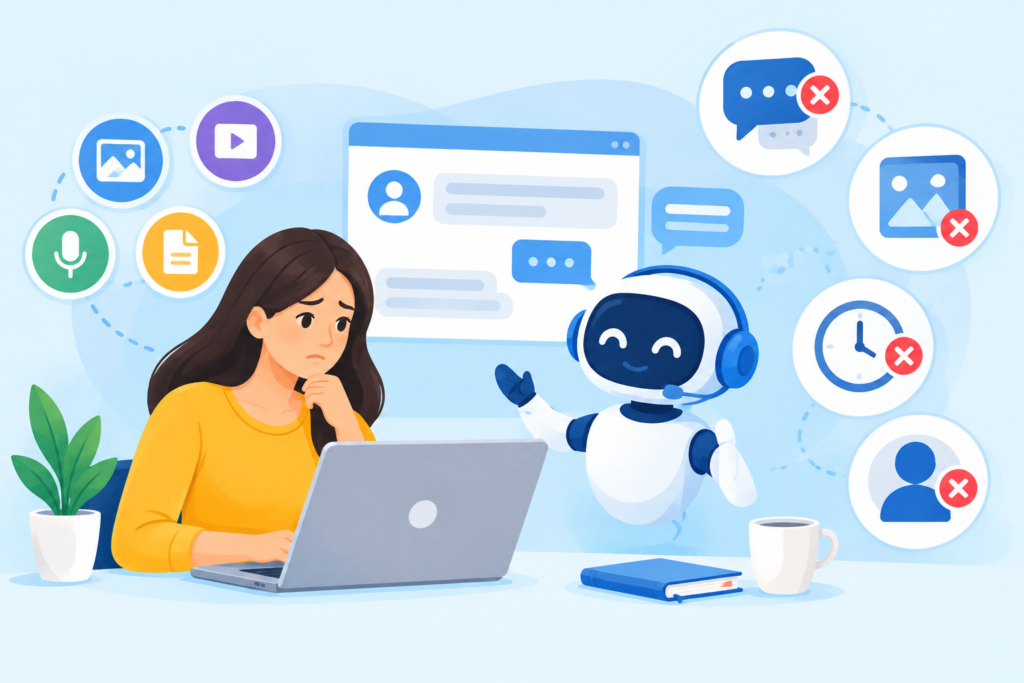
One of the most common mistakes is launching a chatbot without defining a clear purpose. Organizations sometimes place a chatbot on every page before identifying the problems it is supposed to solve. This can create a confusing experience in which users do not know what the chatbot can actually do. A better approach is to define specific use cases and communicate them clearly.
Another common problem is using outdated or poorly structured information. Even a sophisticated AI system cannot consistently provide reliable answers when its source information contains contradictions or obsolete details. Media organizations should assign responsibility for important knowledge sources and establish a process for updating schedules, subscription information, content metadata, and support documentation.
A third mistake is trying to automate situations that require human judgment. Some conversations should be transferred to people. Complaints, complex account problems, sensitive issues, editorial questions, and unusual cases may require context that an automated system cannot safely provide. An effective chatbot needs clear escalation rules, not just successful-response rules.
Organizations can also make the mistake of measuring volume instead of value. Thousands of chatbot conversations do not necessarily indicate a successful implementation. The important question is whether people are finding useful information, completing their intended tasks, receiving accurate support, and reaching human assistance when necessary.
Finally, some businesses focus heavily on AI capabilities while overlooking accessibility, privacy, security, content governance, and technical performance. A chatbot should be treated as part of the organization’s digital product, not as an isolated marketing feature.
Best Practices Summary for Media Chatbots
A successful Media Chatbot should begin with a clearly defined audience problem. Organizations should identify their highest-value use cases before selecting conversation flows, integrations, and technical capabilities. Starting with focused objectives makes implementation easier to manage and provides clearer measurements for success.
The knowledge base should remain accurate, current, structured, and governed. Content owners should regularly review information that changes frequently, while technical teams should ensure integrations have appropriate permissions and failure handling. Security should follow established principles such as least privilege, strong authentication where required, controlled access, and careful API management. Teams can use resources such as the OWASP API Security Top 10 when reviewing API-related risks. OWASP API Security Top 10
The user experience should be conversational without becoming complicated. Keep questions focused, make responses understandable, provide useful fallback options, and create straightforward escalation paths. Accessibility should be built into the interface from the beginning, with WCAG providing a useful framework for evaluating accessibility. WCAG
For SEO, continue creating valuable website content and maintain strong technical foundations. The chatbot should help people discover existing resources rather than becoming a mechanism for producing large amounts of low-value automated content. Google Search Essentials can provide an important reference point for maintaining search-friendly practices. Google Search Essentials
Finally, treat the chatbot as an ongoing product. Monitor conversations, review failures, analyze user feedback, improve the knowledge base, test integrations, and update conversation flows as audience needs change. Continuous improvement is what allows a Media Chatbot to remain useful after its initial launch.
Frequently Asked Questions
What is a Media Chatbot?
A Media Chatbot is a conversational AI system designed to help users interact with media-related information. It can support content discovery, answer common questions, guide visitors through websites, provide program information, assist with subscriptions, and connect users with human support when necessary.
How can a Media Chatbot help a media company?
A Media Chatbot can reduce friction in content discovery, automate suitable repetitive questions, provide immediate assistance, guide users toward relevant resources, and create a conversational interface across selected digital journeys. Its specific value depends on the organization’s audience, content library, systems, and objectives.
Can a Media Chatbot recommend articles, videos, or podcasts?
Yes. A chatbot can recommend content when it has access to an appropriately structured and maintained content catalog. Recommendations can be based on topics, categories, formats, dates, guests, authors, genres, or preferences provided during the conversation. The quality of recommendations depends heavily on metadata and retrieval logic.
Can a Media Chatbot replace human customer support?
It can automate suitable routine interactions, but it should not be viewed as a universal replacement for human support. Complex account problems, complaints, sensitive cases, unusual situations, and issues requiring investigation may require human involvement.
Is a Media Chatbot good for SEO?
A chatbot can improve the user experience and help visitors discover existing content, but simply adding a chatbot does not guarantee improved search rankings. SEO still depends on the quality, relevance, accessibility, technical health, and usefulness of the website’s content. Organizations should follow Google Search Essentials and people-first content principles. Google Search Essentials
What information should a Media Chatbot use?
The chatbot should use reliable, approved, and appropriately maintained information sources. Depending on the use case, these can include website content, FAQs, content metadata, program information, help documentation, subscription information, schedules, and authorized business systems.
How should media organizations protect chatbot data?
Organizations should determine what information is collected, limit access according to business requirements, protect connected systems, use appropriate authentication and authorization, establish retention policies, and avoid collecting unnecessary sensitive information. Security should be considered throughout the architecture rather than added after deployment.
How can a Media Chatbot be improved after launch?
Continuous improvement can involve reviewing failed conversations, monitoring unanswered questions, analyzing user feedback, checking content accuracy, improving intent recognition, updating knowledge sources, refining escalation rules, and measuring task completion. Regular testing ensures that changes do not introduce new problems.
Final Conclusion
A Media Chatbot can provide a practical conversational layer between audiences and the information, content, and support services offered by a media organization. When thoughtfully implemented, it can make large content libraries easier to explore, provide faster answers to routine questions, improve digital engagement, and guide users toward the resources they need.
The strongest implementations are built around accuracy, usability, accessibility, security, transparency, and continuous improvement. They do not attempt to automate everything. Instead, they identify appropriate conversational tasks, connect the chatbot to trustworthy information, establish clear boundaries, and provide human escalation whenever automation is not appropriate.
Media organizations should also remember that conversational technology works best when it strengthens an already useful digital ecosystem. High-quality articles, videos, podcasts, program pages, support documentation, structured metadata, accessible interfaces, and technically sound websites remain important. The chatbot should make these resources easier to discover and use rather than replacing them.
Organizations can use established resources such as Google Search Central, Google Search Console, OWASP, and W3C to support their broader approach to search quality, security, measurement, and accessibility. Google Search Central can provide ongoing search guidance, while Google Search Console can help monitor website search performance.
When audience needs, content governance, technical architecture, and responsible AI practices are aligned, a Media Chatbot can become a valuable part of a modern media experience. The focus should remain on solving genuine user problems, delivering dependable information, and continuously improving the journey based on evidence.
Want to Implement This Easily?
Prompt Text:
You are an expert consultant. Based on the blog post titled “Media Chatbot”, provide a step-by-step, practical implementation guide. Include tools, best practices, common mistakes to avoid, and advanced tips. Assume the reader wants to implement everything discussed in this article effectively.
Call to Action: Want our help implementing this? Just reach out to us via our website contact form: contact form